About Loxicave
Loxicave (loxicave.com) is a Bangladeshi fashion brand selling clothing online through a custom-built Laravel website. Meta Ads is the main channel for bringing shoppers to the store.
Project overview
Loxicave runs on a custom Laravel website, so there is no ready-made app or plugin for tracking. The store needed Meta Pixel and Conversions API events for the full shopping journey, and the same journey in GA4, so Meta Ads could optimise on real purchases.
I set up a web GTM container that reads the store's ecommerce dataLayer and sends Facebook Pixel events through Stape's tag, with GA4 events routed server-side. A server-side GTM container on Stape forwards the events to the Meta Conversions API and to GA4, and Meta deduplicates the browser and server copies of each event.
Goals
- Track PageView, ViewContent, AddToCart, InitiateCheckout and Purchase with the Meta Pixel
- Send the same events through the Meta Conversions API from a server container
- Deduplicate browser and server events so each action is counted once
- Send page_view, view_item, add_to_cart, begin_checkout and purchase to GA4
- Work on a custom Laravel site without relying on a platform plugin
Challenges
- A custom Laravel website has no tracking app or plugin, so every event depends on a correct dataLayer
- Browser-only Pixel events are lost to ad blockers and iOS privacy features
- Browser and server copies of each event had to share the same event ID for Meta deduplication
- GA4 and Meta needed the same funnel steps with consistent event names
Strategy
I used Google Tag Manager as the single tracking layer on the Laravel site. Ecommerce events in the dataLayer trigger Facebook Pixel by Stape tags (Fb - BS) for PageView, ViewContent, AddToCart, InitiateCheckout and Purchase, and GA4 server-side event tags (GA4 - SS) for the same steps, all sent through one Google tag. In the server-side GTM container on Stape, an Advanced GA4 Ecommerce Tracking tag and a Facebook Conversions API tag fire from the incoming events, and Meta matches each server event to its browser copy.
What I implemented
Web GTM container (Laravel)
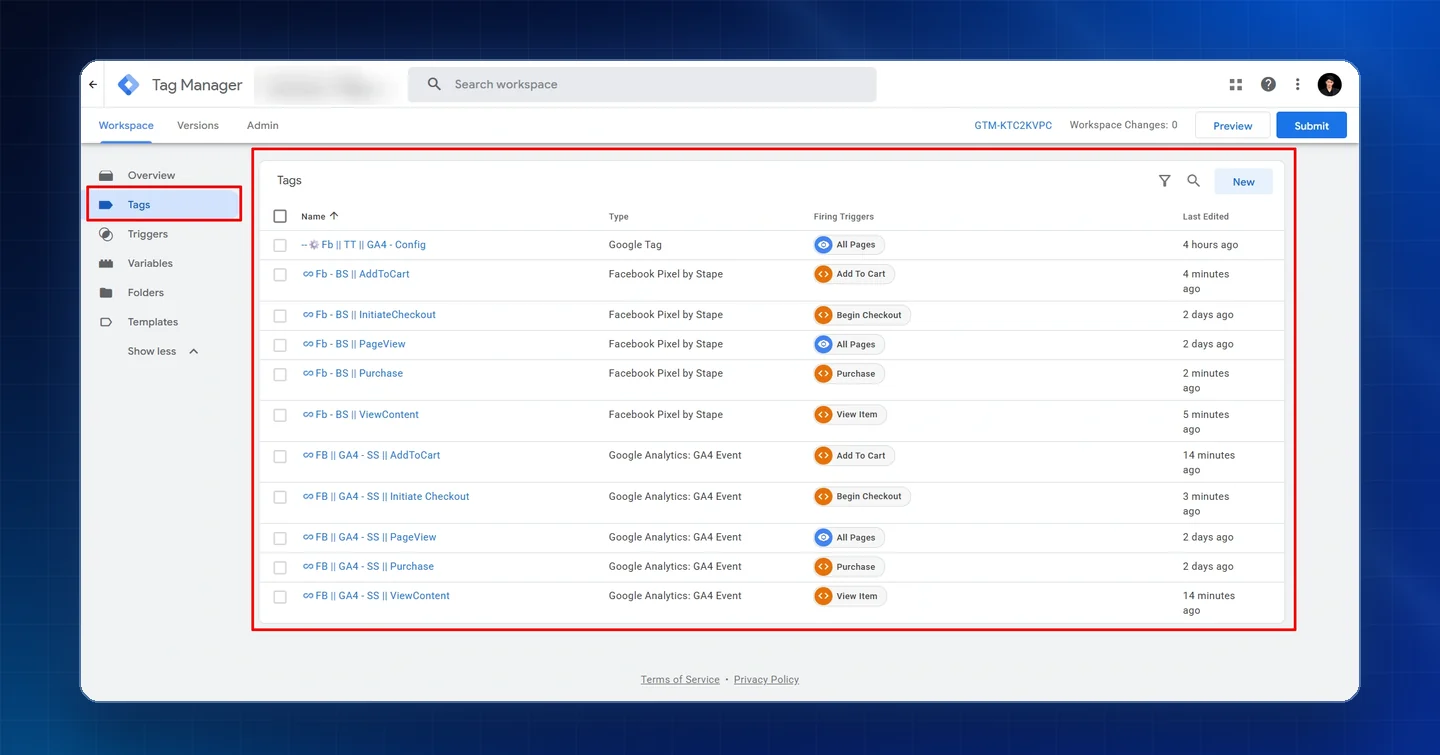
- One Google tag (Fb || TT || GA4 - Config) on all pages
- Facebook Pixel by Stape tags for PageView, ViewContent, AddToCart, InitiateCheckout and Purchase
- GA4 server-side event tags for PageView, ViewContent, AddToCart, Initiate Checkout and Purchase
- Triggers built on the store's View Item, Add To Cart, Begin Checkout and Purchase dataLayer events
Server-side GTM container (Stape)
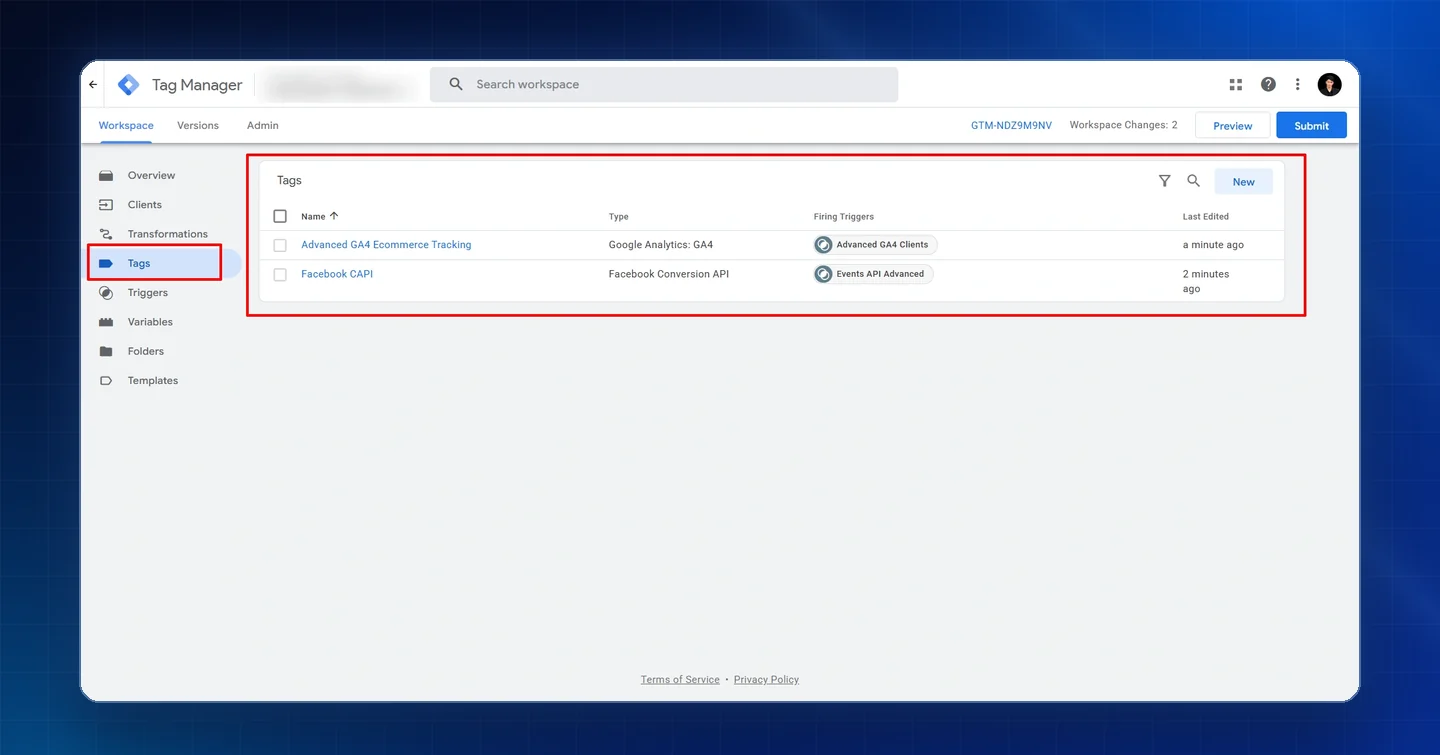
- Advanced GA4 Ecommerce Tracking tag fired by the GA4 client
- Facebook Conversions API tag fired by the events API client
QA & validation
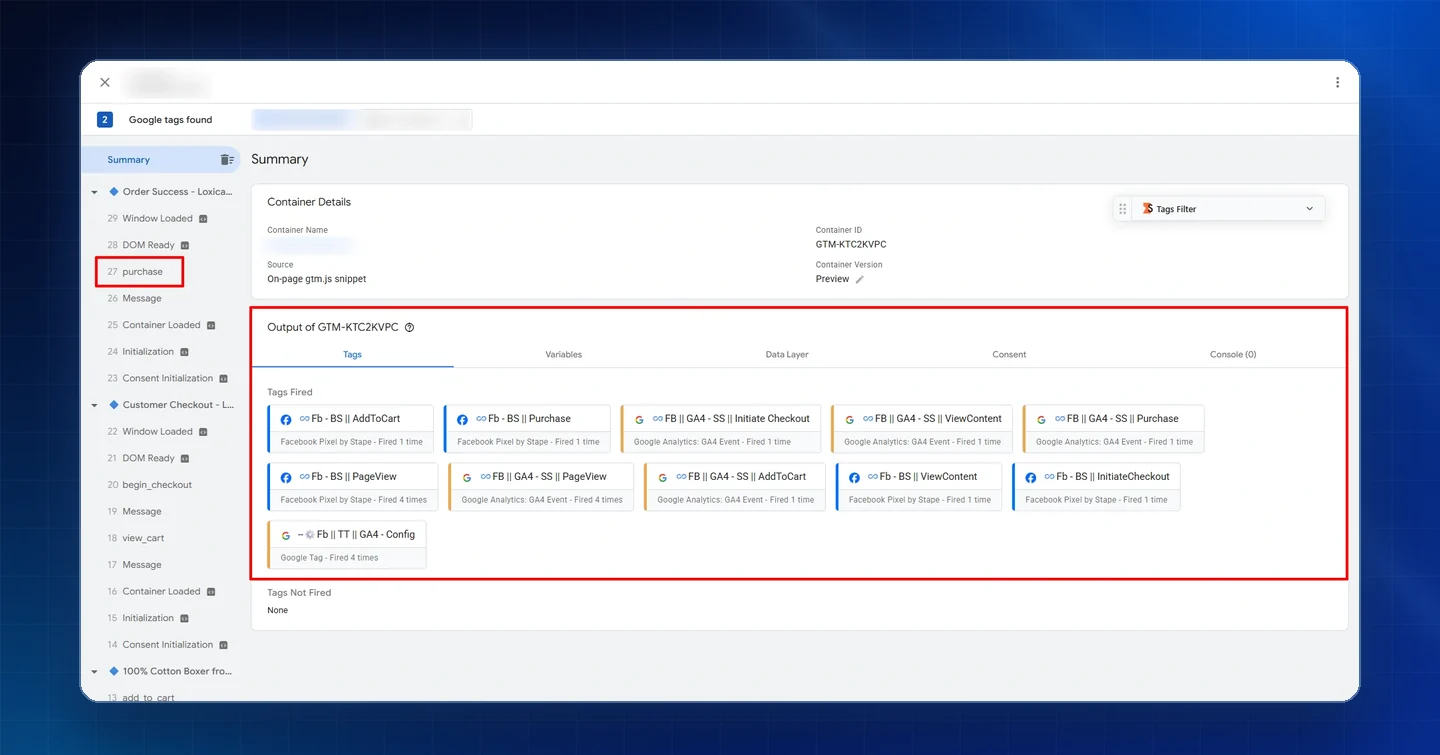
- Tag Assistant preview through to the order success page with all 11 web tags fired and none left unfired
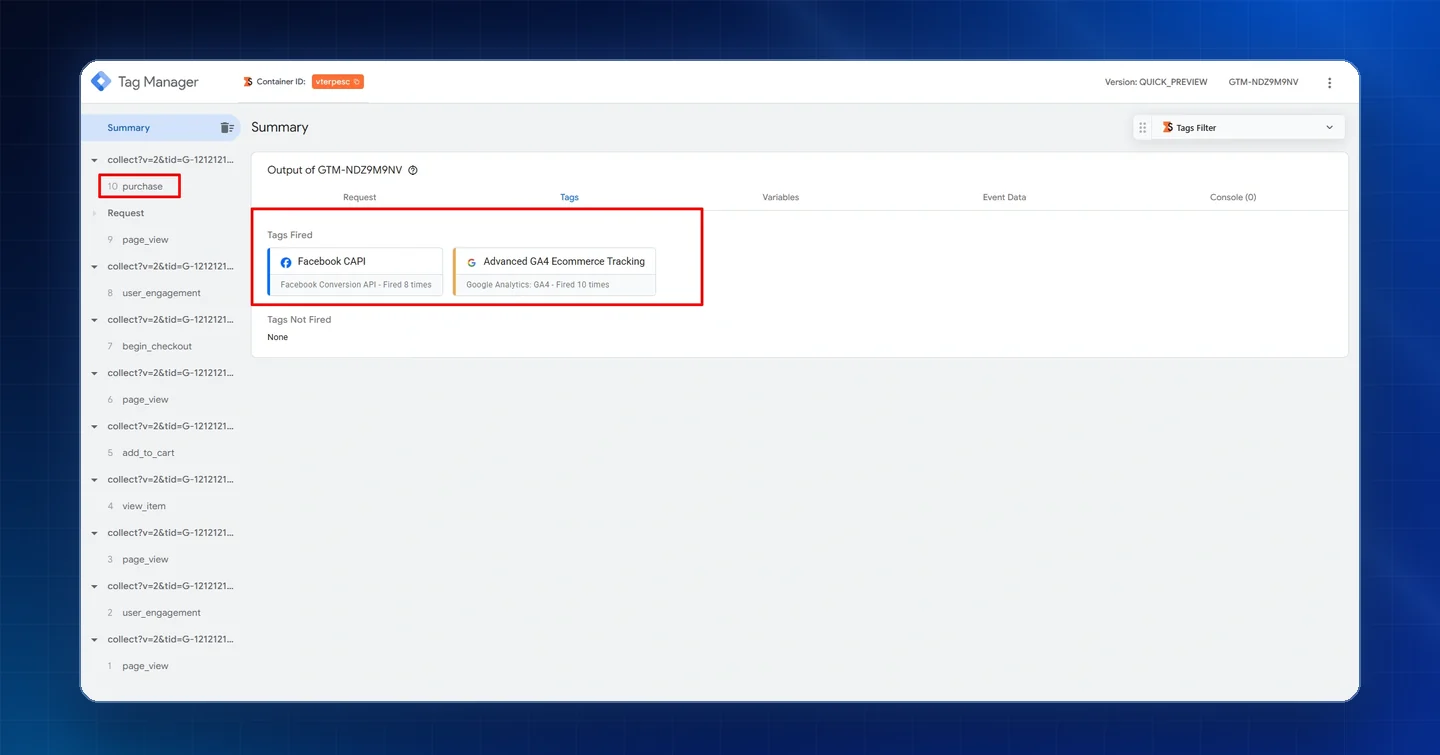
- Server GTM preview on purchase with the Facebook CAPI and Advanced GA4 Ecommerce Tracking tags fired
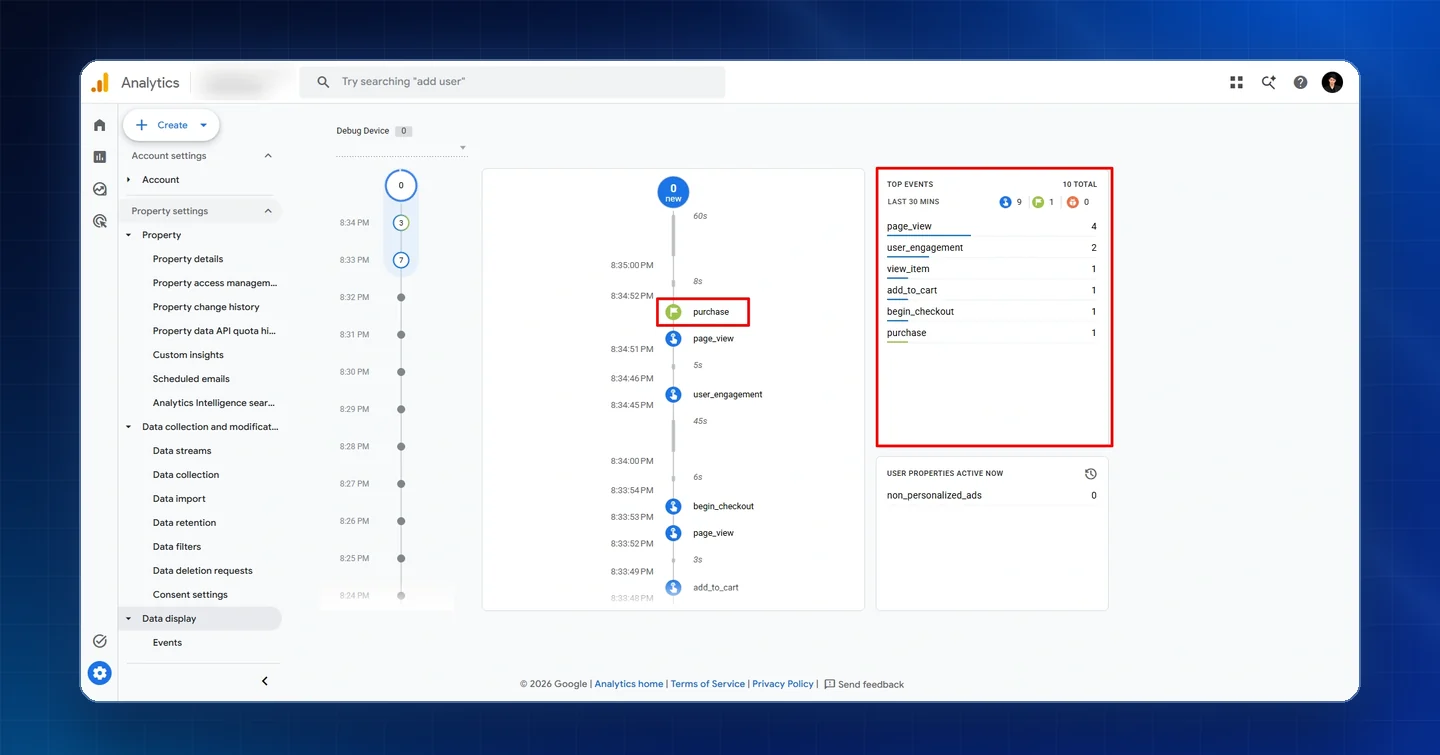
- GA4 DebugView checked for page_view, view_item, add_to_cart, begin_checkout and purchase
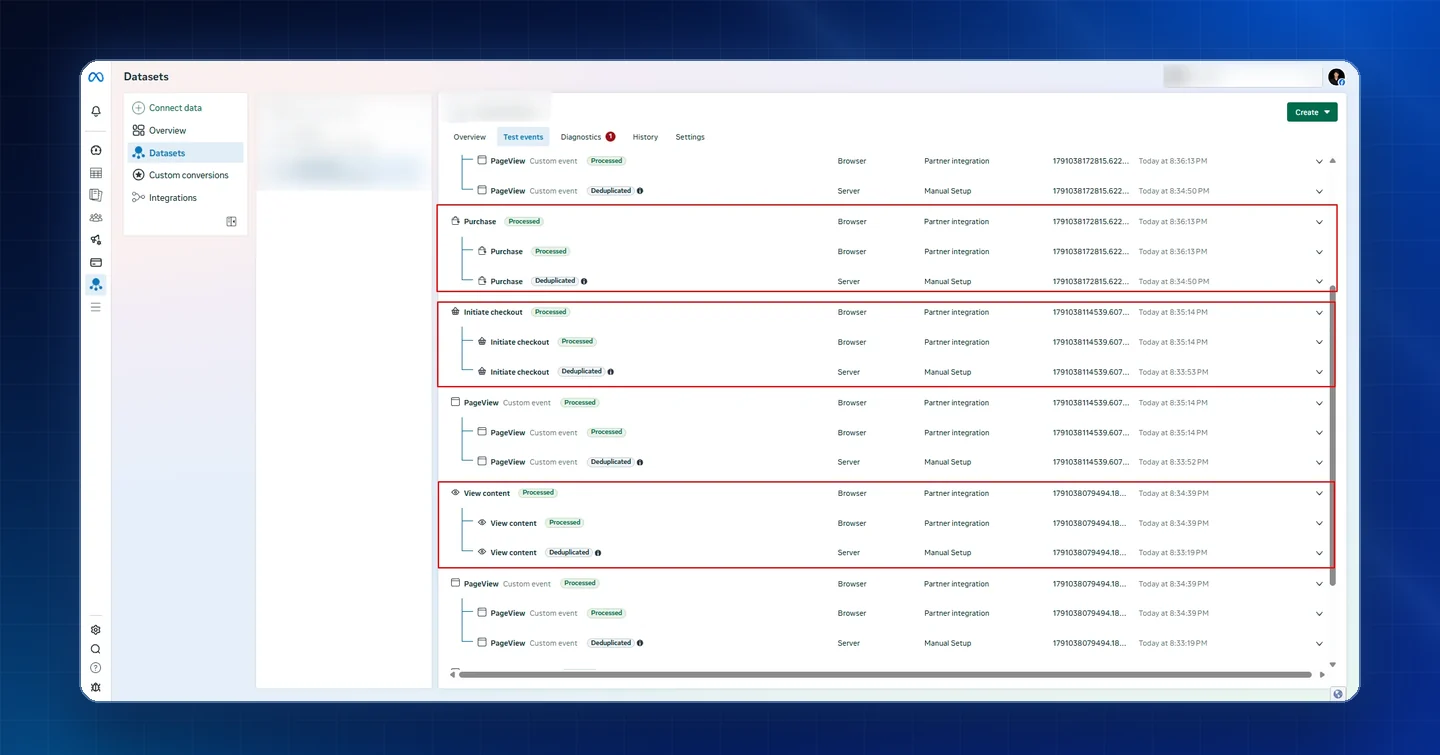
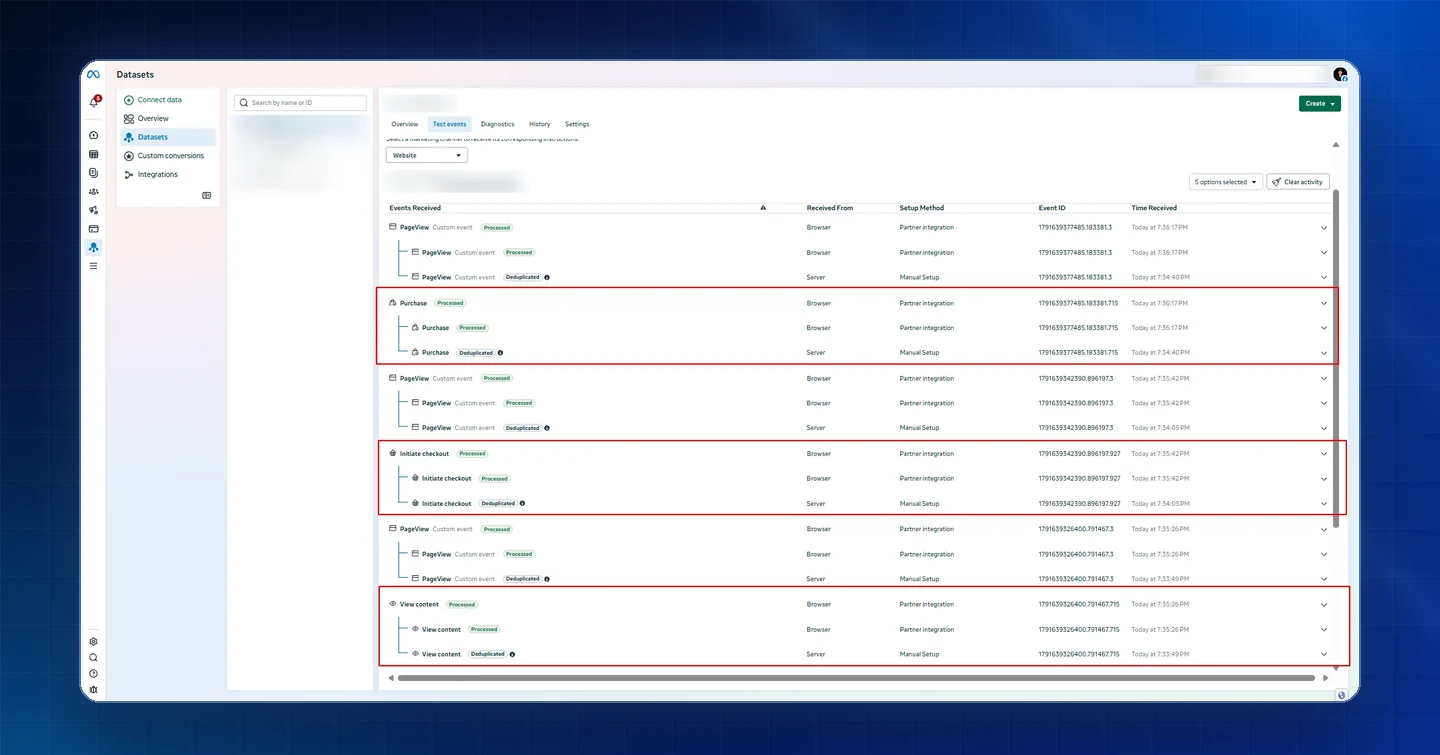
- Meta test events checked for browser and server PageView, View content, Initiate checkout and Purchase, with the server copies deduplicated
Tools used
Results
- All 11 web GTM tags fired on the order success page in Tag Assistant, with none left unfired
- Server GTM preview on purchase fired the Facebook CAPI tag 8 times and the Advanced GA4 Ecommerce Tracking tag 10 times
- GA4 DebugView recorded page_view, view_item, add_to_cart, begin_checkout and purchase
- Meta received Purchase, Initiate checkout, View content and PageView from browser and server, with the server copy deduplicated
