Marketing dashboards

Reporting & Data Visualization: Looker Studio Marketing Dashboards

I build marketing dashboards and reporting pipelines that bring GA4, Google Ads, Meta Ads, call tracking and CRM data into one place. Instead of copying numbers into spreadsheets every week, you get automated reports that show spend, leads, ROAS and revenue by campaign.

  • Looker Studio, BigQuery and Power BI reporting
  • Ad platform, GA4 and CRM data in one view
  • Automated, scheduled reports with no manual exports
  • White-label dashboards for agencies and their clients
Chamok Mahonto, Google Ads and conversion tracking specialist from Bangladesh
98%Client satisfaction
Reporting & Data Visualization
How it works

From scattered platforms to one dashboard

Data from every platform is pulled together automatically, so you never copy numbers by hand.

What's included

What I offer: Reporting & Data Visualization

Looker Studio Dashboards

  • Custom Looker Studio dashboards for marketing performance
  • Executive summary and channel-level views
  • ROAS, CPA and cost per lead reporting
  • Lead pipeline and revenue by campaign
  • Date comparisons, filters and drill-downs
  • Mobile-friendly report layouts
  • Power BI reports when your team works in Microsoft
Data Sources & Blending

  • Google Analytics 4 (GA4)
  • Google Ads campaign, keyword and conversion data
  • Meta Ads (Facebook and Instagram)
  • TikTok, LinkedIn and Microsoft Ads
  • CRM data from HubSpot, GoHighLevel, Pipedrive and Salesforce
  • Call tracking and phone lead data
  • Google Sheets for targets, offline sales and costs
  • Blended views that join spend, leads and revenue

BigQuery & Data Pipelines

  • GA4 BigQuery export setup
  • Custom SQL models for sessions, conversions and attribution
  • Ad platform and CRM data loaded into BigQuery
  • Webhook and API-based reporting pipelines
  • Historical data storage beyond platform limits
  • Data validation and consistency checks

Attribution & Funnel Reporting

  • Attribution comparison across Google Ads, Meta and GA4
  • Platform-reported vs. CRM-confirmed conversions
  • Lead-to-customer funnel reporting
  • Call and form conversion breakdowns
  • Click ID based lead source reporting (gclid, fbclid)
  • Discrepancy diagnosis between platforms

Automation & White-Label Reporting

  • Scheduled email delivery of reports
  • Automated data refresh with no manual exports
  • White-label dashboards with agency or client branding
  • Multi-client report templates for agencies
  • Access control and sharing permissions
  • Alerts for tracking breaks and sudden performance changes

My Reporting Process

Every dashboard starts with the decisions it needs to support, not with the charts.

01

Discovery

I learn your goals, KPIs and who will use the reports.

02

Data Audit

I check that tracking and data sources are accurate before anything is visualized.

03

Build

I connect and blend the data sources, then design the dashboard around your key metrics.

04

Automation & Handover

I set up scheduled delivery, sharing and access, and walk your team through the reports.

Who This Service Is For

Teams that spend on paid media and need a reliable view of what it returns.

01

Marketing agencies reporting to multiple clients

02

Local and lead gen businesses tracking calls and booked jobs

03

Ecommerce brands measuring ROAS across channels

04

Business owners who want one clear view of marketing performance

Comparison

Spreadsheet Reports vs. Automated Dashboards

Spreadsheet reportsAutomated dashboards
Time spentHours each week exporting and pasting data from every platformData refreshes automatically, so reporting time goes into analysis
Data freshnessNumbers are out of date as soon as the sheet is sharedDashboards show current data whenever they are opened
AccuracyCopy-paste mistakes and broken formulas go unnoticedDirect connections and validation checks keep numbers consistent
Cross-channel viewEach platform reported separately, in its own formatGoogle Ads, Meta, GA4 and CRM data blended in one view
Lead qualityOnly platform-reported conversions, no link to real salesCRM pipeline and revenue tied back to each campaign
AttributionConflicting platform numbers with no explanationSide-by-side attribution comparison with clear definitions
Client deliveryManual emails with attachments every reporting periodScheduled, branded reports delivered automatically
Case studies

Related projects

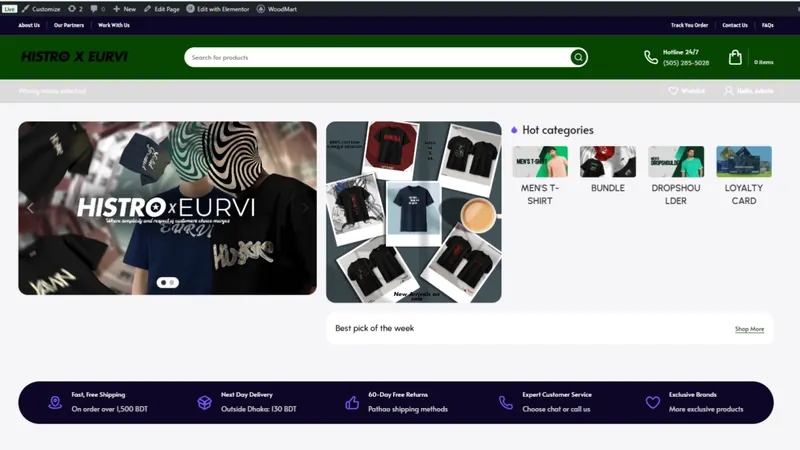
Histro Clothing: Meta Pixel & CAPI project by Chamok Mahonto
Meta Pixel & CAPI

Histro Clothing

A hybrid browser + server-side tracking build for a Bangladeshi fashion brand, recovering lost purchase events and lifting Meta event match quality from 3/10 to 9/10.

  • Meta Pixel
  • Conversion API
  • GA4 Enhanced eCommerce
Read case study
Shukhi Life: Meta Pixel & CAPI project by Chamok Mahonto
Meta Pixel & CAPI

Shukhi Life

Server-side Meta tracking for a natural food and herbal supplement store, so every add-to-cart, checkout and purchase from Facebook Ads is captured and attributed.

  • Meta Pixel
  • Conversion API
  • GA4 Enhanced eCommerce
Read case study
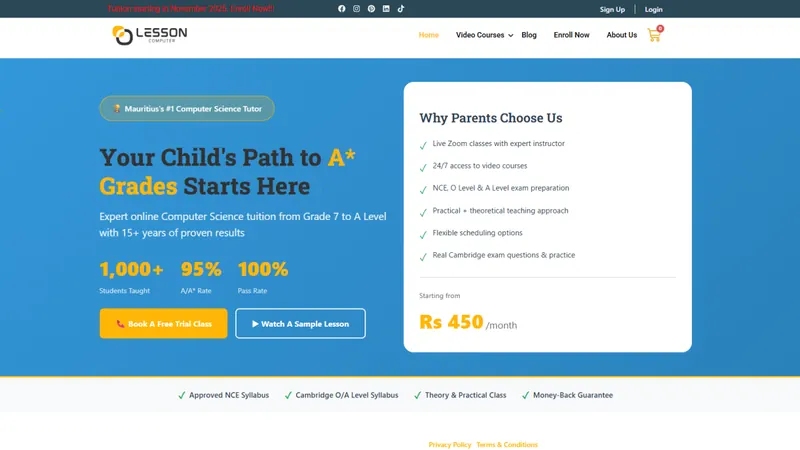
Lesson Computer: Meta Pixel & CAPI project by Chamok Mahonto
Meta Pixel & CAPI

Lesson Computer

Full lead and course-purchase tracking for a Mauritius-based online tuition provider, replacing Pixel-only tracking that lost 40–60% of events on iOS and blocked browsers.

  • Meta Pixel
  • Conversion API
  • GA4 Enhanced eCommerce
Read case study
FAQ

Reporting & Data Visualization: FAQ

Which tools do you use for reporting dashboards?

Mainly Looker Studio, with BigQuery for larger or more complex datasets and Power BI when your team already works in the Microsoft ecosystem. I choose the tool based on your data volume, budget and who needs access.

Can you combine Google Ads, Meta Ads, GA4 and CRM data in one dashboard?

Yes. I connect and blend these sources so spend, leads, pipeline and revenue appear side by side, and campaigns can be compared on cost per lead and ROAS using real sales data.

Why do my ad platforms and GA4 report different numbers?

Each platform uses its own attribution model, conversion window and counting rules. I build attribution comparison views that show the numbers side by side with clear definitions, and fix tracking issues that make the gap larger.

Do I need BigQuery?

Not always. Looker Studio connectors are enough for many businesses. BigQuery helps when you need raw GA4 event data, long-term history, custom attribution or data from many sources joined together.

Can you build white-label dashboards for my agency's clients?

Yes. I build branded report templates that can be reused across clients, with scheduled delivery and access controls so each client sees only their own data.

Ready to fix your tracking and scale your ads?

Get a free audit of your tracking and ad account. Usually replies within 1–2 hours.