Route changes don't send page views
In a single-page app the URL changes without a full page load. GTM's page-view trigger fires once, so GA4 sees one page per visit and funnels look empty.
This is for businesses on a custom-built site, whether a React, Next.js or Vue app, a single-page app, or hand-coded HTML, who need GA4 and ad platforms to see the right conversions. There's no plugin to lean on, so tracking only works if the site and GTM agree on what happens and when. I write that agreement as a dataLayer spec, build the GTM side, and add server-side events for the conversions that matter.
Proper tracking on a custom site or SPA means GTM loaded once in the app shell, page views sent on every route change but only once, a written dataLayer contract for ecommerce and lead events pushed after your code confirms success, and server-side events from your backend for payments and sign-ups, deduplicated against the browser with a shared event ID.
The events I set up on Custom website, and where each one is sent.
In a single-page app the URL changes without a full page load. GTM's page-view trigger fires once, so GA4 sees one page per visit and funnels look empty.
GA4's enhanced measurement can send page views on browser history changes. Add a manual page_view in the router or a GTM history trigger on top, and every route is counted twice.
Without a spec, developers push events with different names, missing values or the ecommerce object in the wrong shape. Tags break quietly the next time a component is refactored.
Tracking a submit button or a 'pay' click counts failed validations, declined cards and double clicks. The conversion should fire when the API call succeeds.
In frameworks like Next.js, scripts can load before consent is known or run again after hydration. Tags fire before consent, or GTM loads twice.
| Event | When it fires | Sent to |
|---|---|---|
page_view | First load and every client-side route change (once each) | GA4, Meta Pixel (PageView) |
view_item / ViewContent | Product or plan detail view rendered | GA4, Meta Pixel + CAPI |
add_to_cart / AddToCart | Cart API call succeeds | GA4, Meta Pixel + CAPI, TikTok |
begin_checkout / InitiateCheckout | Checkout view opens | GA4, Meta Pixel + CAPI |
purchase / Purchase | Order confirmed by your backend or payment webhook | GA4, Google Ads, Meta Pixel + CAPI, TikTok |
generate_lead / Lead | Form API returns success | GA4, Google Ads, Meta Pixel + CAPI |
sign_up / CompleteRegistration | Account created by the backend | GA4, Google Ads, Meta Pixel + CAPI |
I check how GTM and any pixels are loaded, how routing works, and what GA4 and the ad platforms currently receive on each route.
I write the dataLayer contract for your conversions and the page view approach for your router, and walk your developers through it.
Your team adds the pushes and backend events; I build the web and server GTM containers that read them.
I test every route and conversion on staging, then production, and check that nothing is counted twice.
You get the spec, container notes and a short checklist to run whenever the front-end changes.
There are two clean ways to track page views in an SPA. One is to let GTM listen for browser history changes and send a page_view on each. The other is to push a page_view event from your router after each navigation, with the page path and title, and fire GA4 from that. The second is more reliable when titles or content update after the URL changes.
Whichever you use, it should be the only source. GA4's enhanced measurement has its own history-based page view setting, and leaving it on alongside a manual setup is the most common reason SPAs report double page views.
On a custom site, tracking breaks when the code changes and nobody knows a tag depended on it. A dataLayer contract fixes that. It lists each event, its parameters and exactly when it should be pushed, such as after the order API returns success. Developers build to it, GTM reads only from it, and nobody scrapes values from the page.
The same contract covers server events. Your backend sends payments and sign-ups to server-side GTM with the event ID from the browser push, so Meta and Google receive both copies and keep one.
A static or hand-coded HTML site is simpler: GTM goes in the head and body of every page or the shared template, and forms push an event when the form handler returns success. If the form posts to a third-party service, I check whether a thank-you page or the service's own events are the more reliable signal.
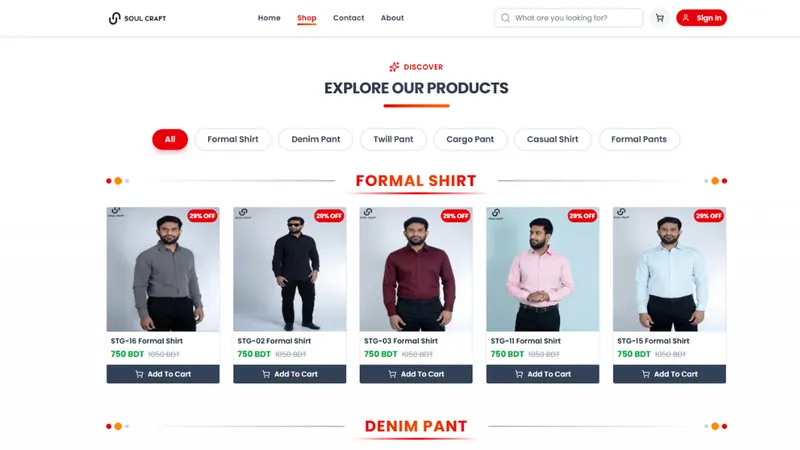
Hybrid Meta tracking for a Next.js menswear store: five funnel events sent from browser and server, deduplicated in Meta, and mirrored into GA4 ecommerce through server-side GTM.
Read case studySend a page_view on each route change, either from a GTM history change trigger or from a dataLayer push in your router. Use one method only, and check GA4's enhanced measurement history setting so routes aren't counted twice.
I usually recommend GTM with a dataLayer, because marketing tags can then change without a code release. Developers only maintain the dataLayer pushes in the spec, not individual pixels.
For payments and sign-ups it's worth it. Your backend already knows when these happen, so sending them server-side makes Meta CAPI and Google Ads data more complete and less affected by ad blockers.
Each event's name, its parameters and their formats, when it should fire, and an example push. For ecommerce it follows GA4's recommended structure, and it includes the event ID used for deduplication.
Yes. I write the spec and build GTM and server-side GTM, your developers implement the pushes, and I test the result before and after release.

What server-side tracking really is, how server-side GTM works, what it fixes and what it does not, and a checklist to decide if your business needs it.
Duplicate tags, loose triggers and missing transaction IDs quietly corrupt your conversion data. Here is how to find and fix the most common GTM mistakes.
The step-by-step checklist I use to set up GA4 ecommerce tracking: events, data layer, GTM tags and testing, so product and revenue reports are accurate.
Get a free audit of your tracking and ad account. Usually replies within 1–2 hours.
