About TalkBar
TalkBar is a premium restaurant and dine-in experience in Bengaluru, known for its ambience, curated menu and loyal customer base. It needed visibility into key user actions such as calls, reservations and menu views to improve marketing performance.
Project overview
TalkBar needed a complete digital measurement system to track reservations, calls, menu interactions and ad-driven conversions. The previous setup lacked structure and missed high-value actions.
I implemented a fully structured GA4 + GTM + Google Ads tracking ecosystem to measure conversions, user engagement and the customer journey.
Goals
- Enable full-funnel tracking
- Measure Google Ads conversions accurately
- Capture all high-value engagement events
- Provide a real-time, data-driven reporting system
Challenges
- No proper GA4 event structure existed on the website
- High-value actions (calls, reservations, menu interactions) were untracked
- User behavior (scrolls, clicks, navigation) was invisible
- Google Ads conversions were inconsistent and unreliable
- No unified GTM system to manage tracking
- The client needed accurate attribution for peak campaigns
Strategy
I used GTM as the central tracking hub, designed a custom GA4 event architecture for restaurant interactions and mapped both micro and macro conversions. Every event was linked to Google Ads conversion tracking with enhanced conversions, validated in DebugView and Preview mode, and surfaced in a Looker Studio dashboard for reporting.
What I implemented
Google Tag Manager setup
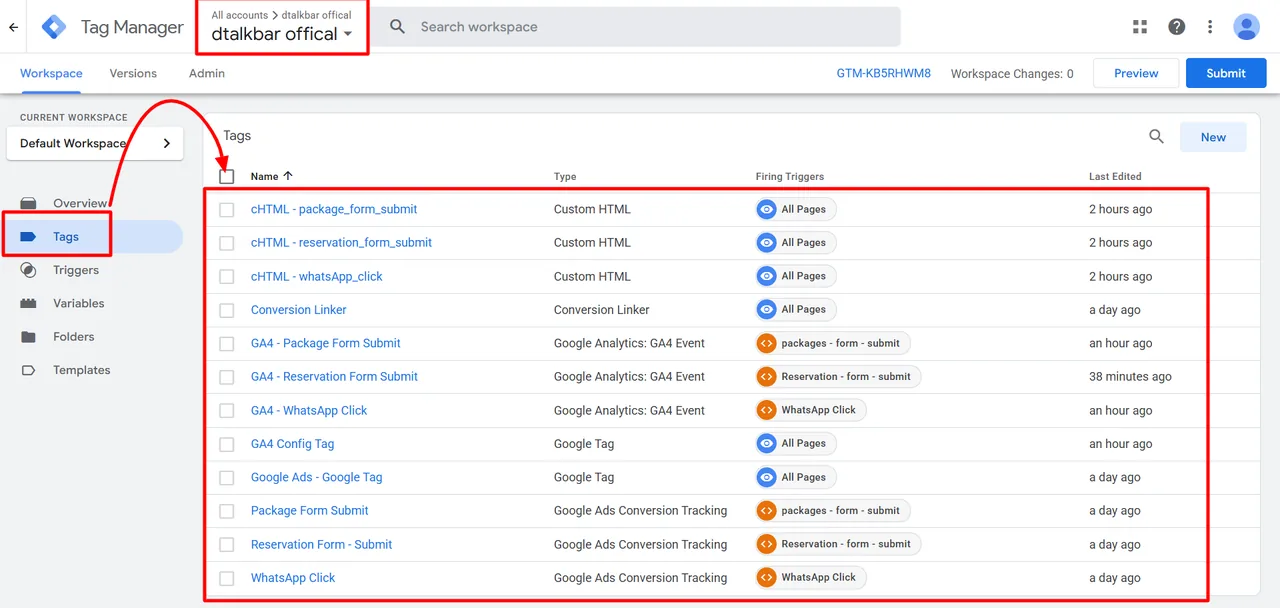
- Created a full GTM container for the website
- Configured triggers for call clicks, the reservation button, menu views, scroll depth, WhatsApp clicks and navigation
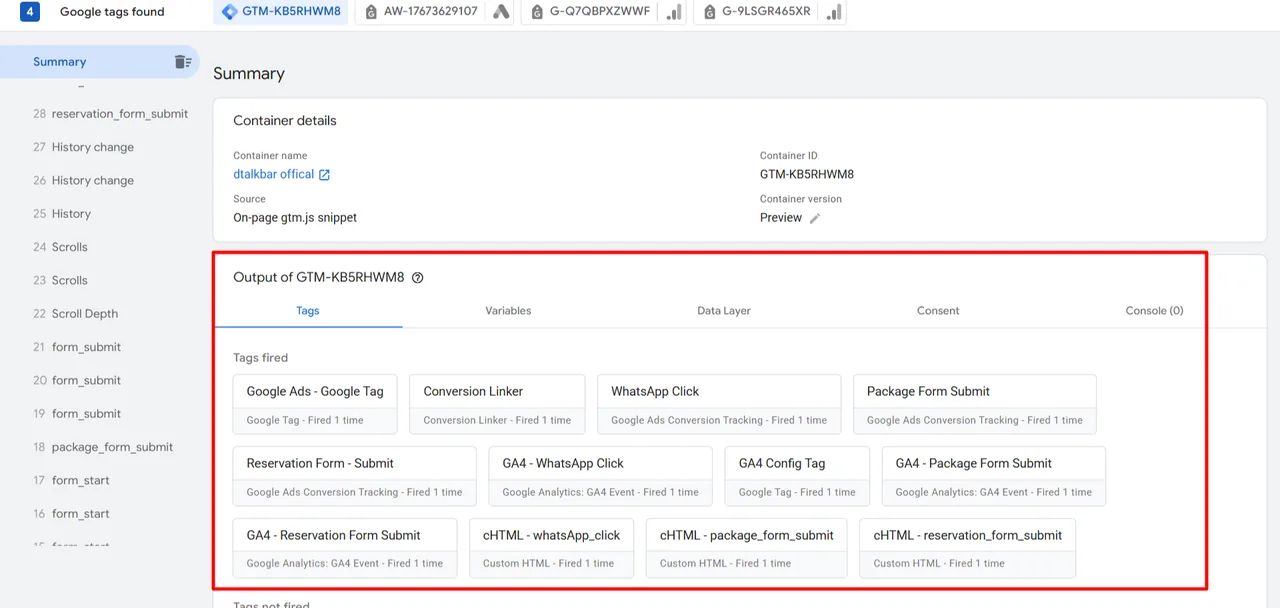
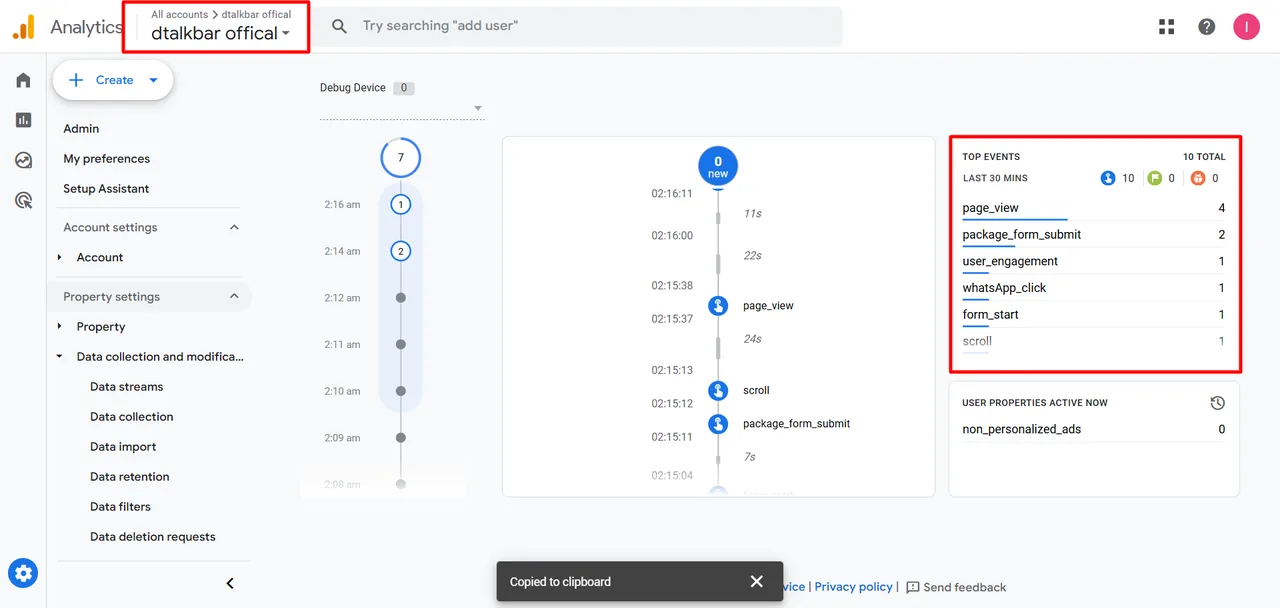
- Validated all tags with GTM Preview mode and GA4 DebugView
GA4 configuration
- Created a structured event architecture for restaurant interactions
- Added custom events: call_click, reservation_intent, menu_view, scroll_depth, cta_click
- Mapped event parameters and marked high-value events as conversions
Google Ads conversion tracking
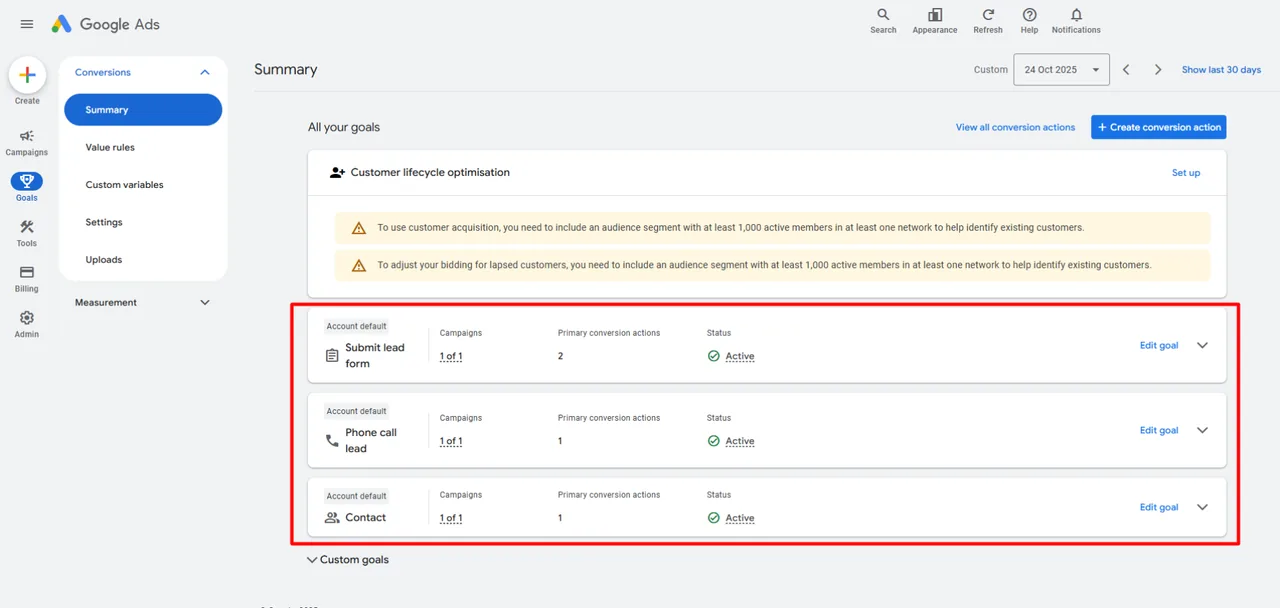
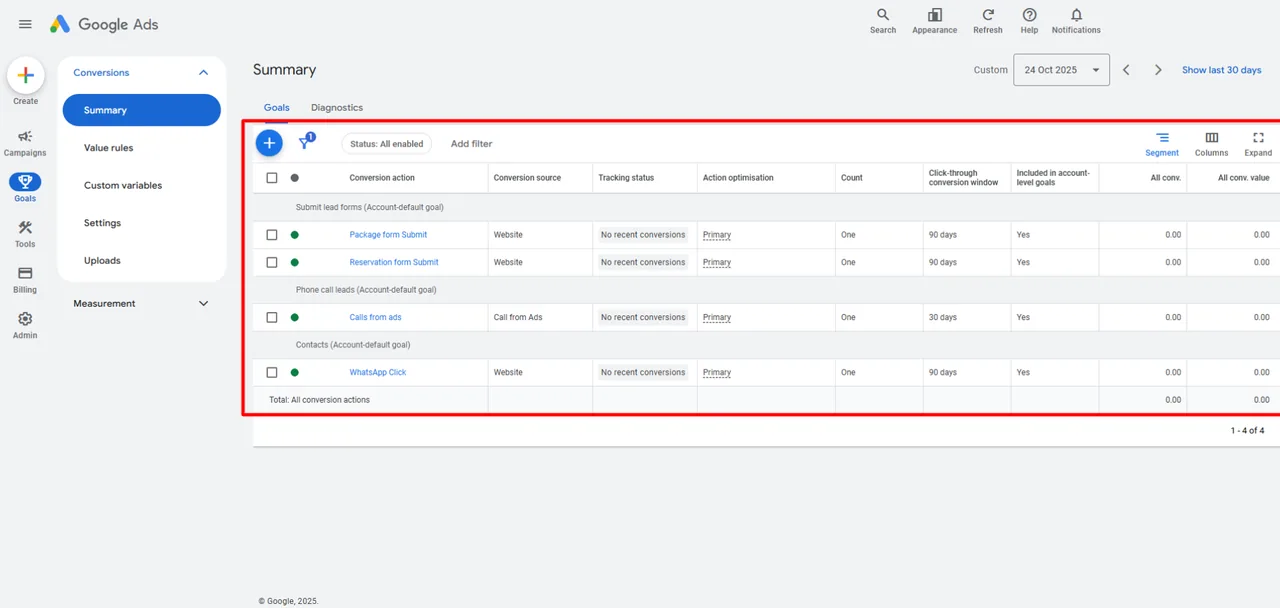
- Created Google Ads conversion actions for calls, reservations and form submissions
- Implemented enhanced conversions for accurate attribution
- Linked GA4 and Google Ads and validated conversion imports
Dashboard & reporting
- Built Looker Studio dashboards with Menu → Reservation Intent, Call Engagement and Ad → Conversion funnels
- Created simplified views for daily performance monitoring
Tools used
Results
- Google Ads conversion actions live for the package form, reservation form, calls from ads and WhatsApp clicks
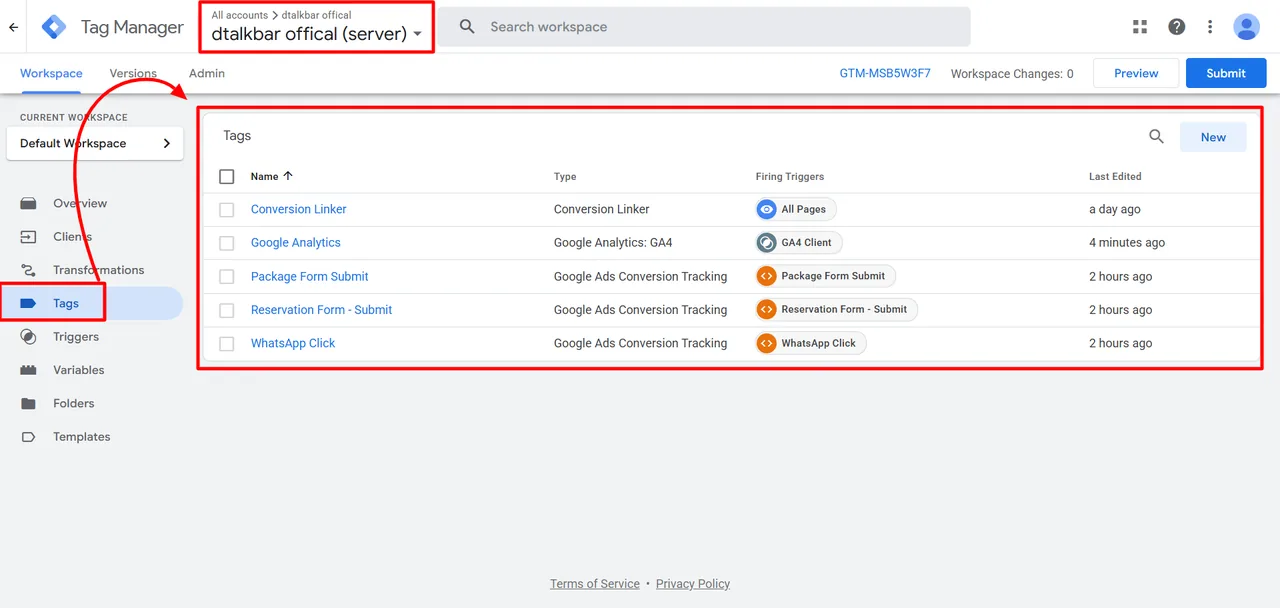
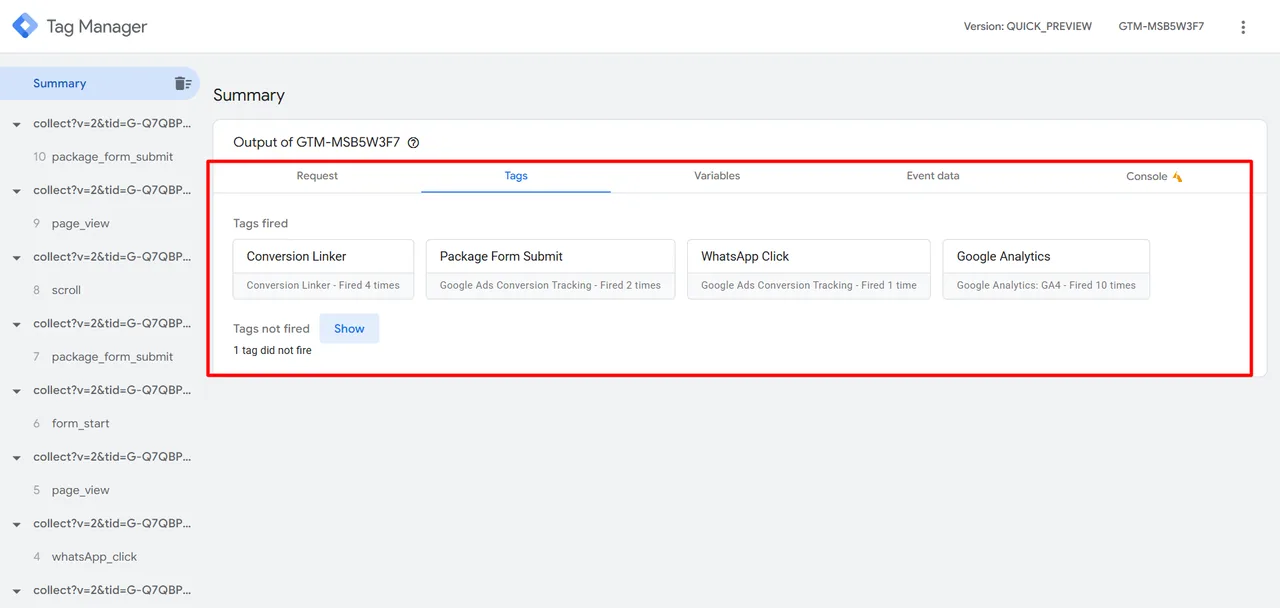
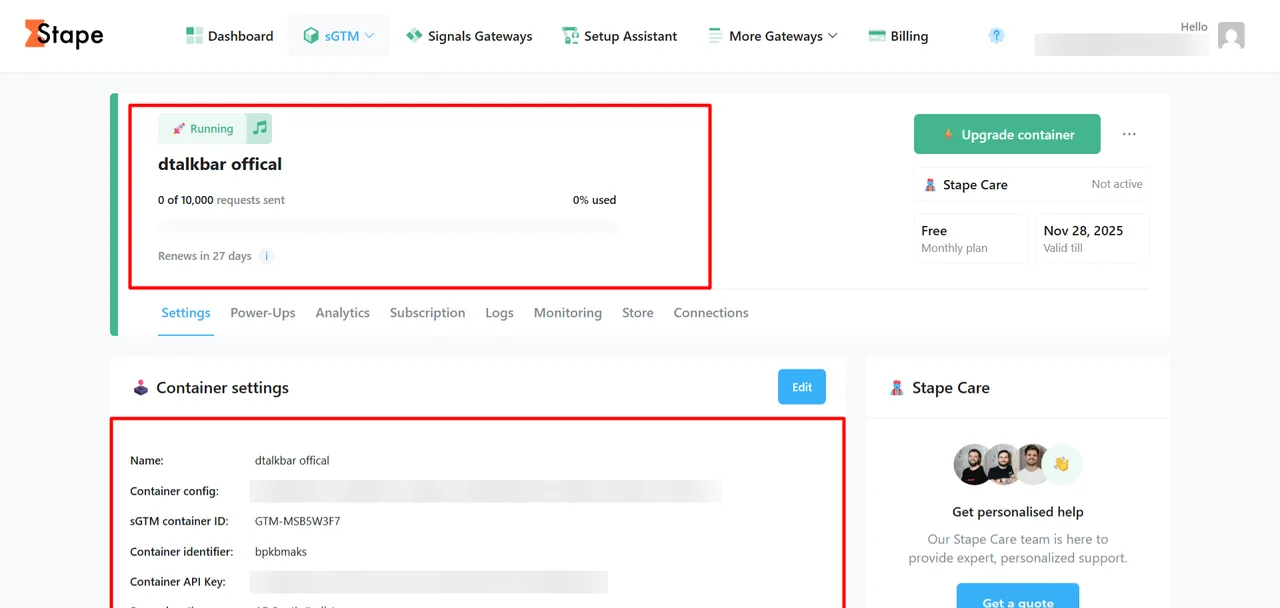
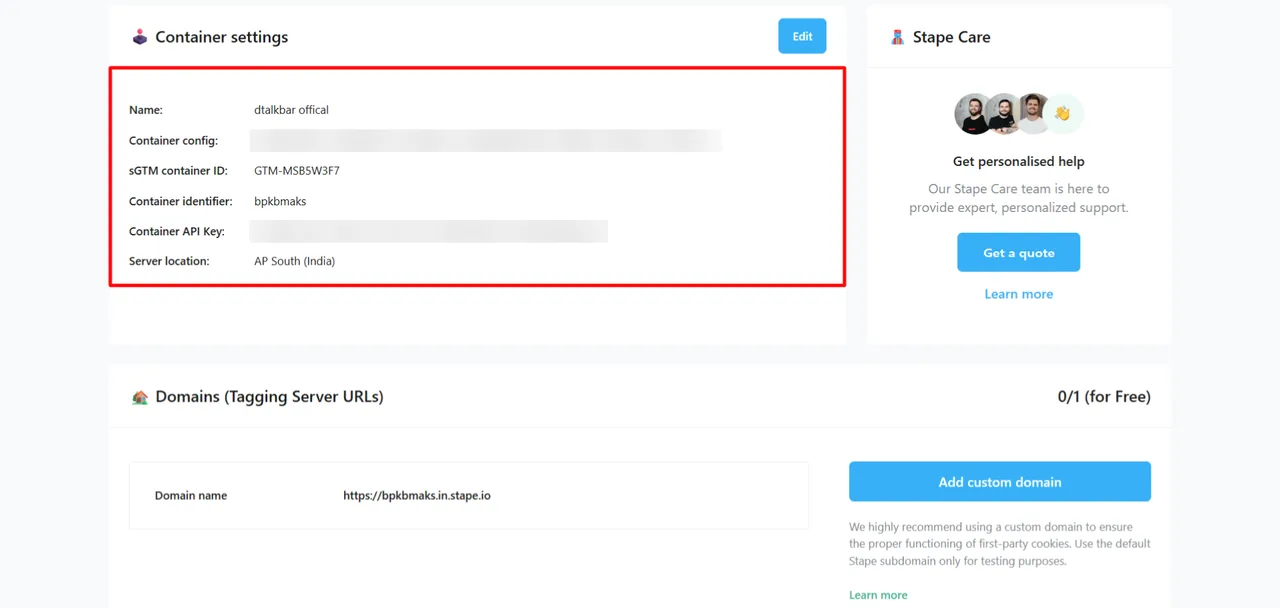
- Server-side GTM on Stape added, with server-side Google Ads conversions for both forms and WhatsApp
- Every web tag fired in Tag Assistant: GA4, Google Ads and the custom form listeners
- Action tracking: from key actions untracked to all major and micro interactions captured
- Ad attribution: from inconsistent and incomplete to fully verified conversion attribution
- Audience building: from generic audience lists to behavior-rich remarketing audiences
- Decision-making: from assumption-based to fully data-driven optimization
