About Kazi Cleaning
Kazi Cleaning (kazicleaningkuw.com) is a cleaning services business running a WordPress website, where customers get in touch by calling or by sending a contact form. Google Ads is used to bring in those enquiries.
Project overview
For a cleaning business, the conversions that matter are phone calls and form enquiries. Kazi Cleaning needed Google Ads conversion tracking for its cleaning business that records both, plus GA4 events that show how visitors move from a page view to a lead.
I set up a WordPress GTM web container with custom HTML listeners for phone clicks and form submits, sent GA4 events through a server-side GTM container, and connected Google Ads conversion actions for lead forms and calls. Every tag was checked in Tag Assistant, server GTM preview and GA4 realtime.
Goals
- Track phone clicks as Google Ads phone call lead conversions
- Track contact form submissions as Google Ads lead form conversions
- Send page view, phone click, form submit and scroll depth events to GA4
- Route GA4 and Google Ads hits through a server-side GTM container
- Install the Google tag and Conversion Linker site-wide to support attribution and remarketing
Challenges
- Calls and form enquiries happen in the browser and are not tracked by default on a WordPress site
- Phone clicks and form submits needed reliable custom events before any conversion tag could fire
- Google Ads needed separate goals for lead forms and phone calls
- The same lead actions had to reach GA4 and Google Ads with consistent event names
- Browser-only tags are exposed to ad blockers and tracking prevention
Strategy
I used Google Tag Manager as the single tracking layer on WordPress. Custom HTML listeners push phone_click and contact_form_submit events to the dataLayer, and those events trigger Google Ads conversion tags and "GA4 - SS" event tags. The GA4 stream is forwarded to a server-side GTM container, where Google Ads conversion tags for calls and contact form submits fire again from the incoming events, alongside a Conversion Linker and page view tag.
What I implemented
Web GTM container (WordPress)
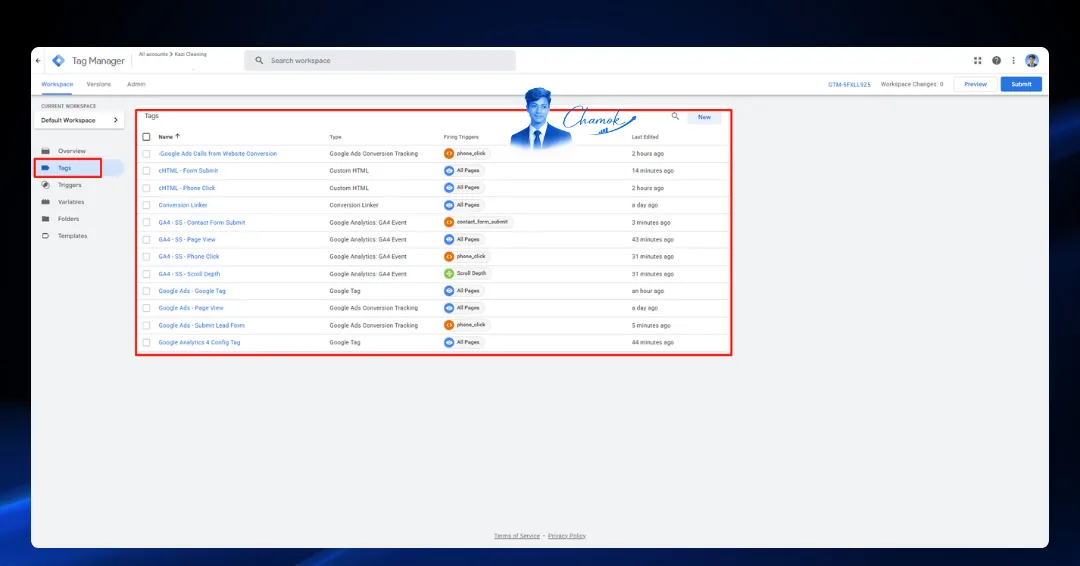
- cHTML - Phone Click and cHTML - Form Submit listeners on all pages
- Google Ads - Google Tag, Conversion Linker and Google Ads - Page View on all pages
- Google Ads Calls from Website Conversion tag triggered by phone_click
- Google Ads - Submit Lead Form conversion tag for lead form submissions
- GA4 - SS tags for Page View, Phone Click, Contact Form Submit and Scroll Depth, plus a Google Analytics 4 Config Tag
Server-side GTM container
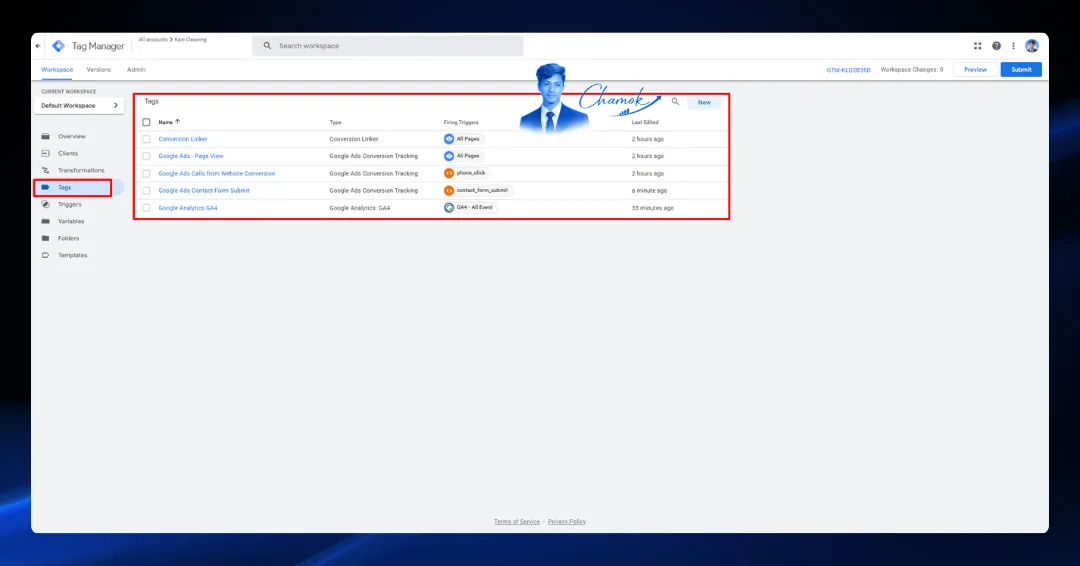
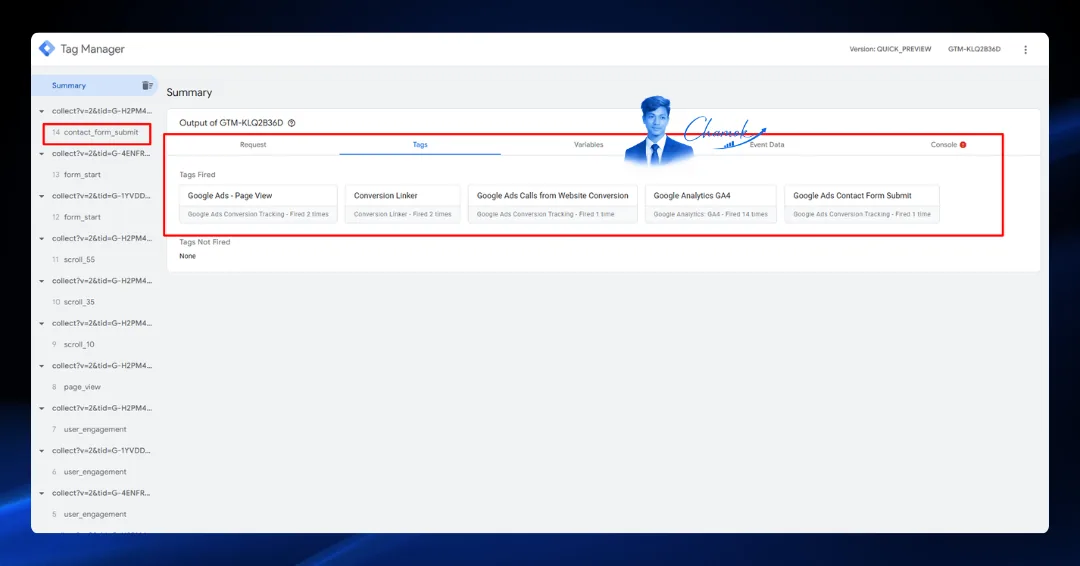
- Google Analytics GA4 tag fired on all incoming GA4 events
- Google Ads Calls from Website Conversion triggered by phone_click
- Google Ads Contact Form Submit triggered by contact_form_submit
- Conversion Linker and Google Ads - Page View on all pages
Google Ads conversion goals
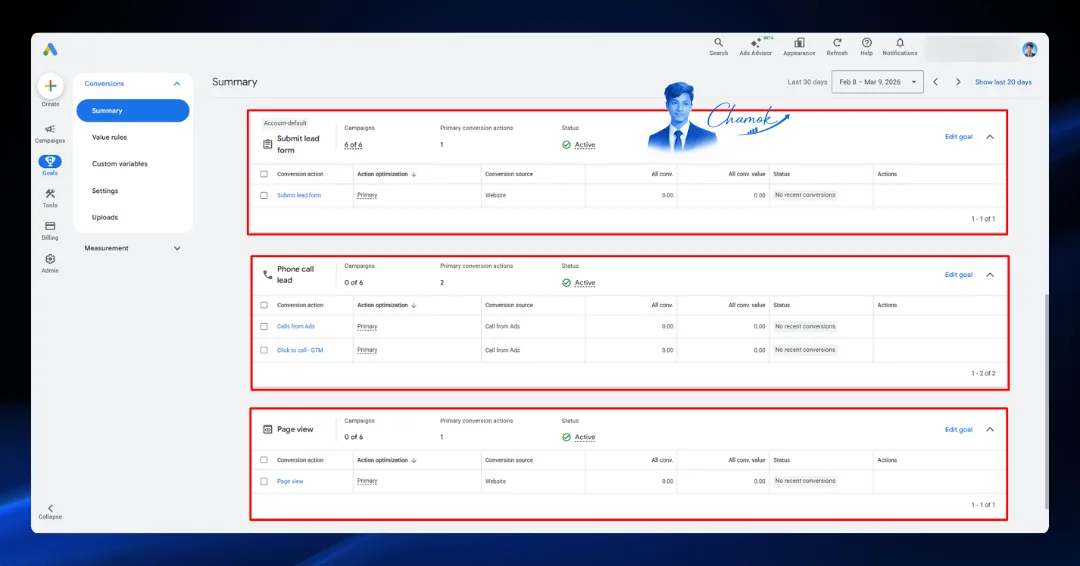
- Submit lead form goal with a primary website conversion action, used by 6 of 6 campaigns
- Phone call lead goal with Calls from Ads and Click to call - GTM as primary actions
- Page view goal with a primary website conversion action
QA & validation
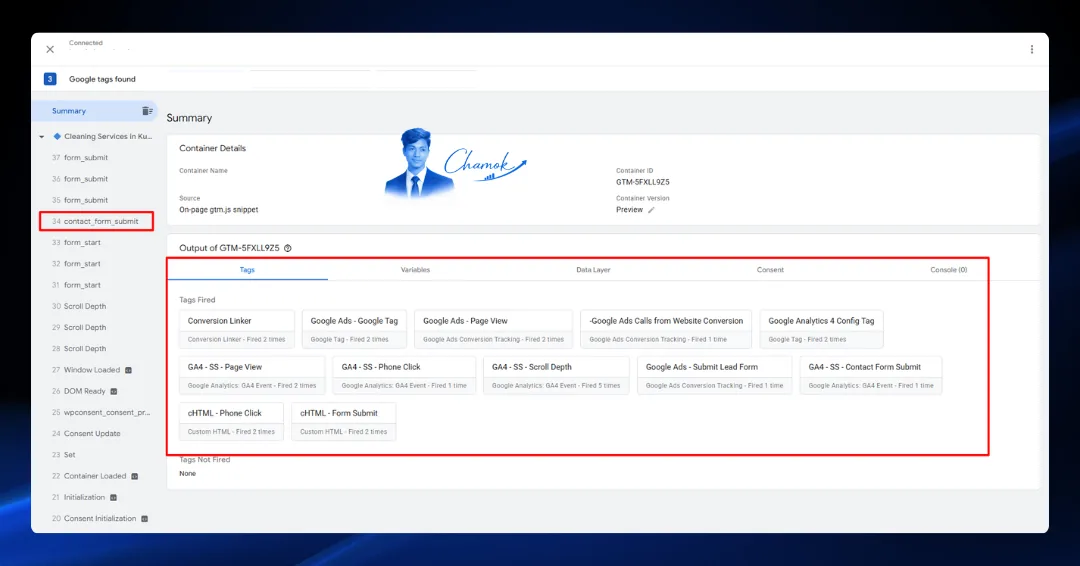
- Tag Assistant preview session including a contact_form_submit test, with all 12 web tags fired and none left unfired
- Server GTM preview on contact_form_submit with all 5 server tags fired
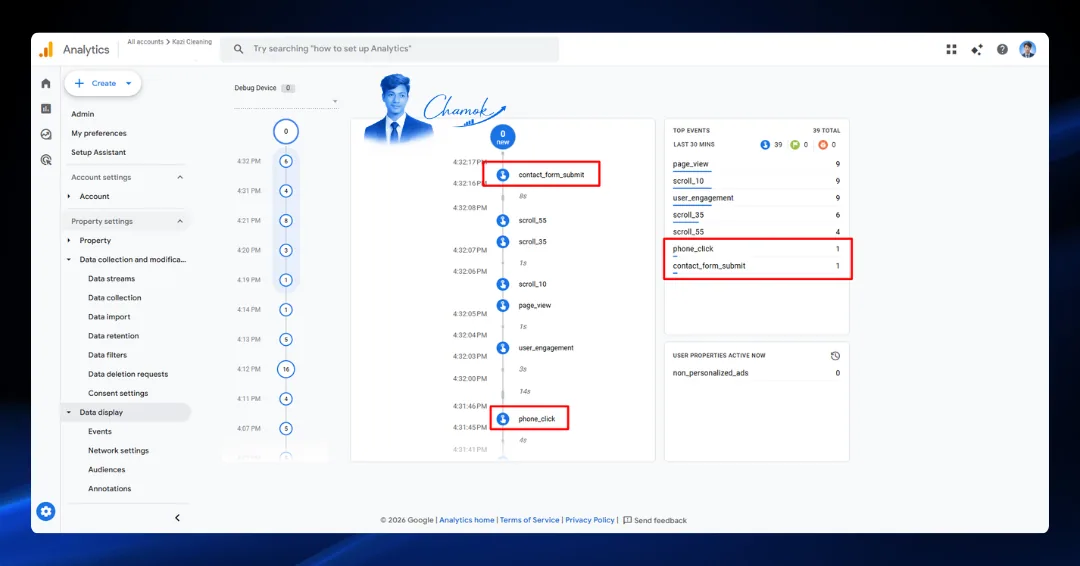
- GA4 realtime checked for page_view, scroll, user_engagement, phone_click and contact_form_submit
Tools used
Results
- All 12 web GTM tags fired in a Tag Assistant session that included a contact_form_submit test, with none left unfired
- Server GTM preview fired Google Ads Contact Form Submit, Calls from Website Conversion, Page View, Conversion Linker and GA4 tags
- GA4 realtime recorded phone_click and contact_form_submit events alongside page_view and scroll depth events
- Google Ads Submit lead form, Phone call lead and Page view goals set up and showing Active status
