One of the most common questions I get from clients goes something like this: "Google Ads shows more conversions than GA4. Which one is lying?" Usually neither. GA4 and Google Ads are built to answer different questions, so they count, credit and date conversions differently. Some of the gap is expected. Some of it points to a real tracking problem. The goal of this post is to help you tell the two apart, so you can stop arguing with your reports and start trusting them.
Why do GA4 and Google Ads show different conversion numbers?
GA4 and Google Ads show different numbers mainly because they use different attribution rules, different reporting dates and different counting settings. Google Ads only cares about conversions it can connect to an ad interaction. GA4 tries to describe all of your traffic, so it shares credit across every channel, including organic search, email, social and direct.
A quick note on terms: in 2024 GA4 renamed "conversions" to key events. Google Ads still uses the word "conversions". When you import a GA4 key event into Google Ads, it becomes a Google Ads conversion action. I will use both terms in this post where it helps.
Here is a summary of the main causes:
| Cause | How GA4 handles it | How Google Ads handles it |
|---|---|---|
| Channel credit | Shares credit across all channels | Only credits Google Ads interactions |
| Reporting date | Date the key event happened | Date of the ad click or interaction |
| Lookback window | Set in GA4 attribution settings | Set per conversion action |
| Counting | Every event, or once per session | "Every" or "One" per click |
| View-through and engaged views | Not counted the same way | Can be counted for some campaign types |
| Cross-device conversions | Limited to what GA4 can observe | Uses Google's signed-in data where available |
| Modelled conversions | Behavioral and conversion modelling | Conversion modelling, including for consent gaps |
How does attribution create the gap?
Attribution is the biggest single reason for the gap: Google Ads gives itself credit for a conversion whenever a qualifying ad click came before it, while GA4 splits that credit with every other channel in the journey.
Imagine a customer who clicks your Google Ads search ad on Monday, comes back through an organic search on Wednesday, and buys after opening your email on Friday. Google Ads sees an ad click followed by a conversion within its window, so it counts one conversion. GA4's data-driven attribution model may give most of the credit to organic search and email, and only a fraction to Google Ads. When you look at the Google Ads row in GA4, you see a lower number.
Lookback windows
The lookback window is how far back a platform looks for an interaction to credit. In Google Ads, each conversion action has its own click-through conversion window, which you can set from 1 to 90 days. In GA4, you set lookback windows under Admin > Data display > Attribution settings, with separate options for acquisition key events and all other key events. If those windows do not match, the totals will not match either.
Why does the date of a conversion differ?
Google Ads reports a conversion on the date of the ad click, while GA4 reports it on the date the key event actually happened. This one catches a lot of people.
If someone clicks an ad on the 28th of the month and buys on the 3rd of the next month, Google Ads puts that conversion in the earlier month. GA4 puts it in the later one. It also means recent Google Ads numbers keep going up for days or weeks after the fact, as late conversions get attached to older clicks. Comparing "last 7 days" in both tools almost guarantees a mismatch.
Two more date-related causes:
- Time zones. Your GA4 property and your Google Ads account can have different time zones. Check both.
- Import delay. GA4 key events imported into Google Ads can take several hours or more to appear, so the most recent days will look low.
How do counting settings change the numbers?
Counting settings decide whether multiple conversions from one person are counted once or every time, and the two platforms default differently depending on how you set them up.
In Google Ads, each conversion action is set to Every (count every conversion after a click, which suits purchases) or One (count one per click, which suits leads). If your lead form action is set to "Every" and people submit the form twice, Google Ads counts two. In GA4, a key event counts every time the event fires by default, but you can change the counting method to once per session.
Also check which Google Ads column you are reading:
- Conversions only includes actions marked as primary and included in bidding.
- All conv. includes primary and secondary actions, plus some extra conversion sources such as store visits where they apply.
If you have the same action tracked twice, for example a Google Ads tag and an imported GA4 key event both set as primary, you will double count. This is one of the first things I check in any audit.
Which discrepancies mean something is broken?
A discrepancy points to a real problem when the gap is large, sudden, or goes in a direction the attribution differences cannot explain. These are the issues I find most often:
- Auto-tagging is off or the
gclidis being stripped. Without the Google Click ID, GA4 cannot connect sessions to Google Ads. Redirects, some page builders and some payment gateways can drop URL parameters. - GA4 and Google Ads are not linked, or the link was created in the wrong property.
- Duplicate tags. A purchase fires once from a plugin and again from GTM, so one platform counts double.
- Conversion fires on the wrong trigger, such as on every page load of the thank-you page, including refreshes.
- Consent issues. If Consent Mode is set up incorrectly, one tool might receive data while the other does not. My guide to Consent Mode v2 covers how to check this.
- Missing or inconsistent values. If the
purchaseevent has novalueorcurrency, revenue comparisons become meaningless.
A quick way to diagnose the gap
Use this process before changing anything:
- Compare a longer date range, such as 30 or 90 days, not just the last few days.
- In GA4, check the attribution model and lookback windows in your attribution settings, and look at the Advertising section's attribution paths to see how many journeys involve several channels.
- In Google Ads, add the "Conversions (by conv. time)" column, which lines conversions up with the date they happened, much closer to how GA4 dates them.
- Check that only one version of each conversion is set as primary.
- Confirm auto-tagging is on and test a real ad click to see whether
gclidsurvives to the thank-you page. - Compare both tools against your real orders or CRM leads.
That last step is the most important. Your store or CRM is the source of truth. If GA4 and Google Ads are both reasonably close to your real records, a gap between them is just attribution.
Which number should you trust?
Trust each platform for the job it was designed for: Google Ads for optimising and bidding on your ads, and GA4 for understanding the full customer journey across channels. Smart Bidding uses Google Ads conversion data, so that is what has to be clean and complete. GA4 is better for deciding how much budget each channel deserves.
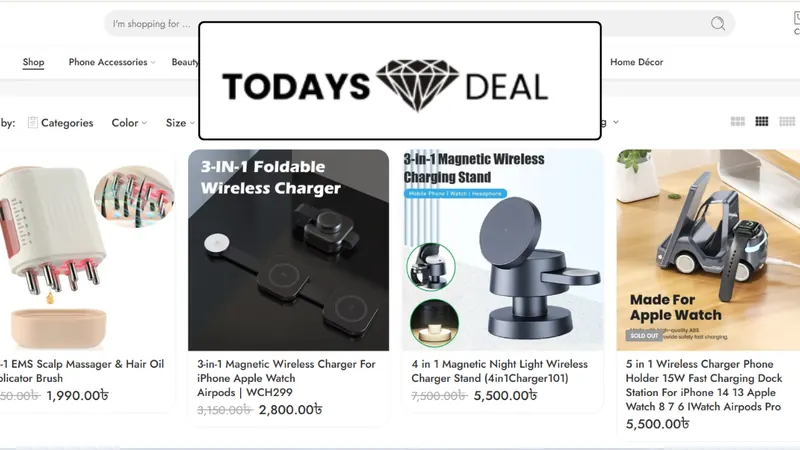
In my work with Todays Deal BD, the problem was not just a gap between tools. Purchase events lacked value and transaction ID mapping, and attribution relied on clicks instead of verified revenue. Once I built a clean data layer with product arrays, currency, transaction_id and revenue values, and synced GA4 purchase values with Google Ads, attribution between GA4 and Google Ads became aligned rather than fragmented. The remaining differences could be explained by attribution rules, not broken tracking.
If you want to go further, enhanced conversions and server-side tagging can both improve how many conversions Google Ads can observe. I explain the second in What is server-side tracking.
Final thoughts
A gap between GA4 and Google Ads is normal. A gap you cannot explain is not. Line up your dates, windows and counting settings, compare both tools with your real sales, and fix anything that is genuinely broken. If you would like help with that, take a look at my conversion tracking service or request a free tracking audit.