About Glitter KW
Glitter KW (glitterkw.com) is a gift items brand in Kuwait running its online store on Shopify, with checkout payments handled through MyFatoorah. Google Ads is used to bring shoppers to the store.
Project overview
Glitter KW needed Google Ads to see real ecommerce actions on its Shopify store, not just visits. The key steps, add to cart, begin checkout and purchase, had to reach Google Ads as conversion actions and GA4 as ecommerce events, including orders that finish after the MyFatoorah payment page.
I set up a web GTM container on the Shopify store and a server-side GTM container on Stape. Shopify ecommerce events trigger Google Ads conversion tags and GA4 event tags in the browser, the GA4 stream is forwarded to the server container, and Google Ads conversion tags fire again server-side, with a user-provided data event on purchase for enhanced conversions.
Goals
- Track add to cart, begin checkout and purchase as Google Ads conversion actions
- Send add_to_cart, begin_checkout, add_payment_info and purchase to GA4
- Route events through a server-side GTM container to reduce data loss
- Send user-provided data with purchases for Google Ads enhanced conversions
- Verify every tag before the account relies on the data for bidding
Challenges
- Shopify's checkout and thank-you pages limit which scripts can run, so purchase tracking has to be set up the Shopify way rather than with tags copied from a regular website
- Orders are completed after the shopper returns from the MyFatoorah payment page, where browser tracking is easy to lose
- Google Ads needed separate goals for purchase, add to cart and begin checkout
- The same ecommerce events had to reach Google Ads and GA4 with consistent names
- Browser-only tags are exposed to ad blockers and tracking prevention
Strategy
I used Google Tag Manager as the single tracking layer on Shopify. Ecommerce events in the dataLayer (add_to_cart, begin_checkout, add_payment_info and purchase) trigger Google Ads conversion tags and GA4 event tags in the web container. GA4 hits are forwarded to a server-side GTM container on Stape, where the Google Analytics GA4 tag and Google Ads conversion tags for add to cart, begin checkout and purchase fire from the incoming events, together with a Google Ads User-provided Data Event on purchase.
What I implemented
Web GTM container (Shopify)
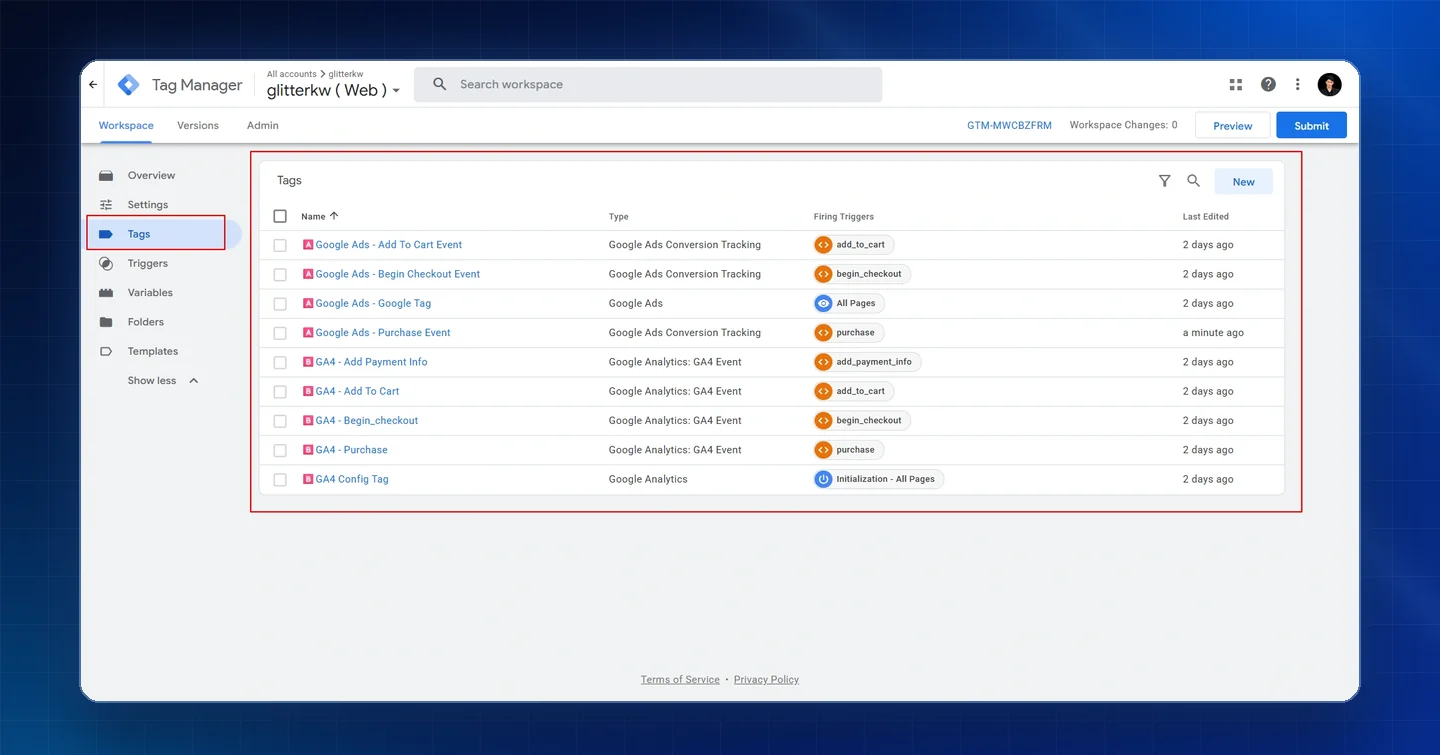
- Google Ads - Google Tag on all pages
- Google Ads conversion tags for Add To Cart, Begin Checkout and Purchase, triggered by add_to_cart, begin_checkout and purchase
- GA4 Config Tag on Initialization - All Pages
- GA4 event tags for Add To Cart, Begin Checkout, Add Payment Info and Purchase
Server-side GTM container (Stape)
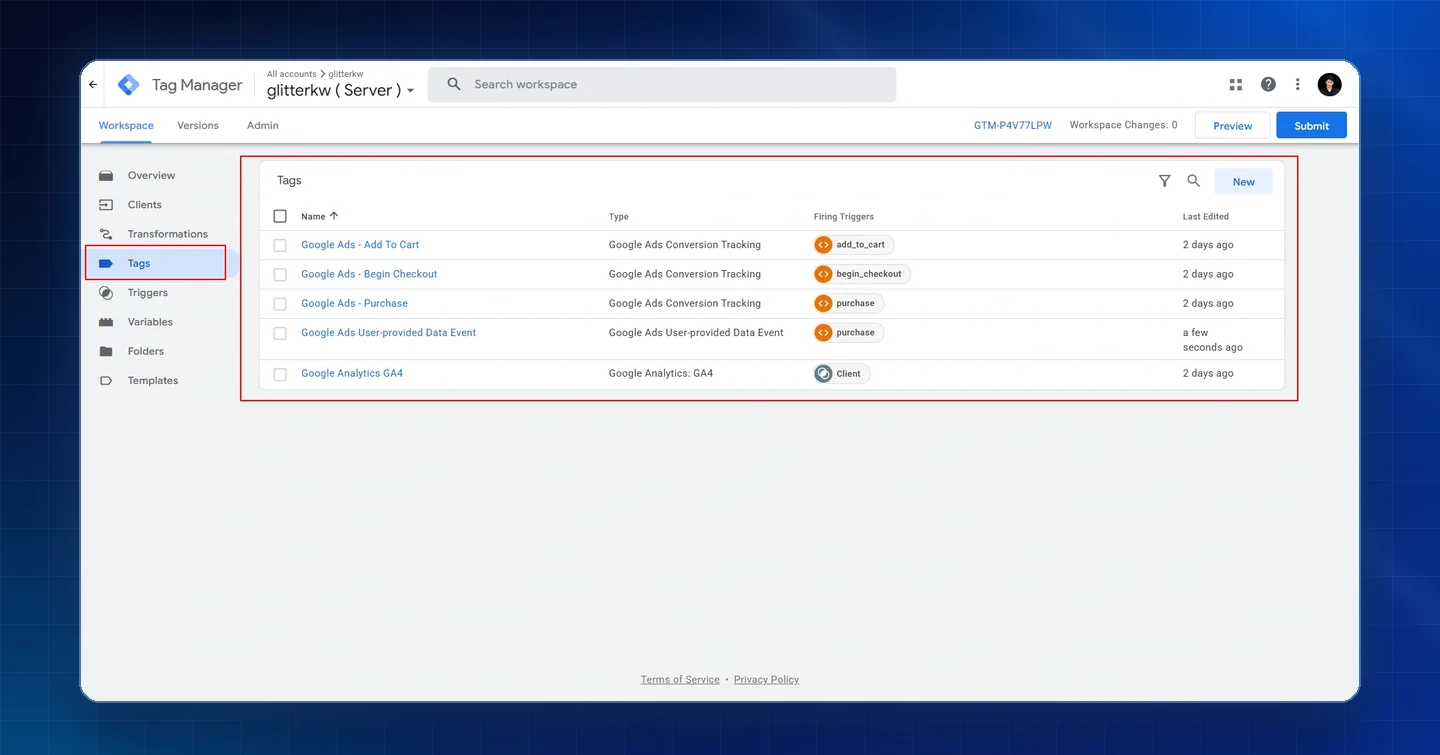
- Google Analytics GA4 tag fired by the GA4 client
- Google Ads conversion tags for Add To Cart, Begin Checkout and Purchase
- Google Ads User-provided Data Event on purchase for enhanced conversions
Google Ads conversion goals
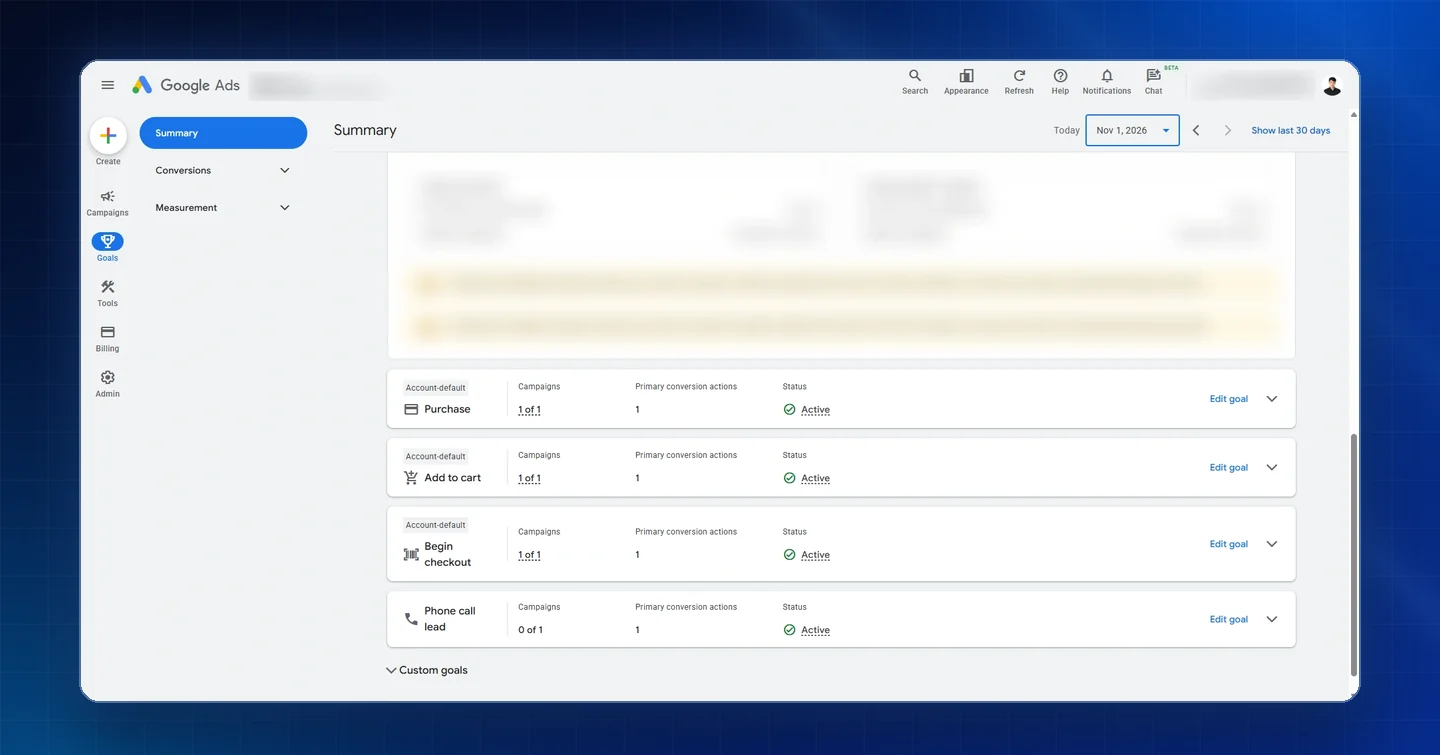
- Purchase, Add to cart and Begin checkout goals, each with a primary conversion action and Active status
- Phone call lead goal with an active primary action
QA & validation
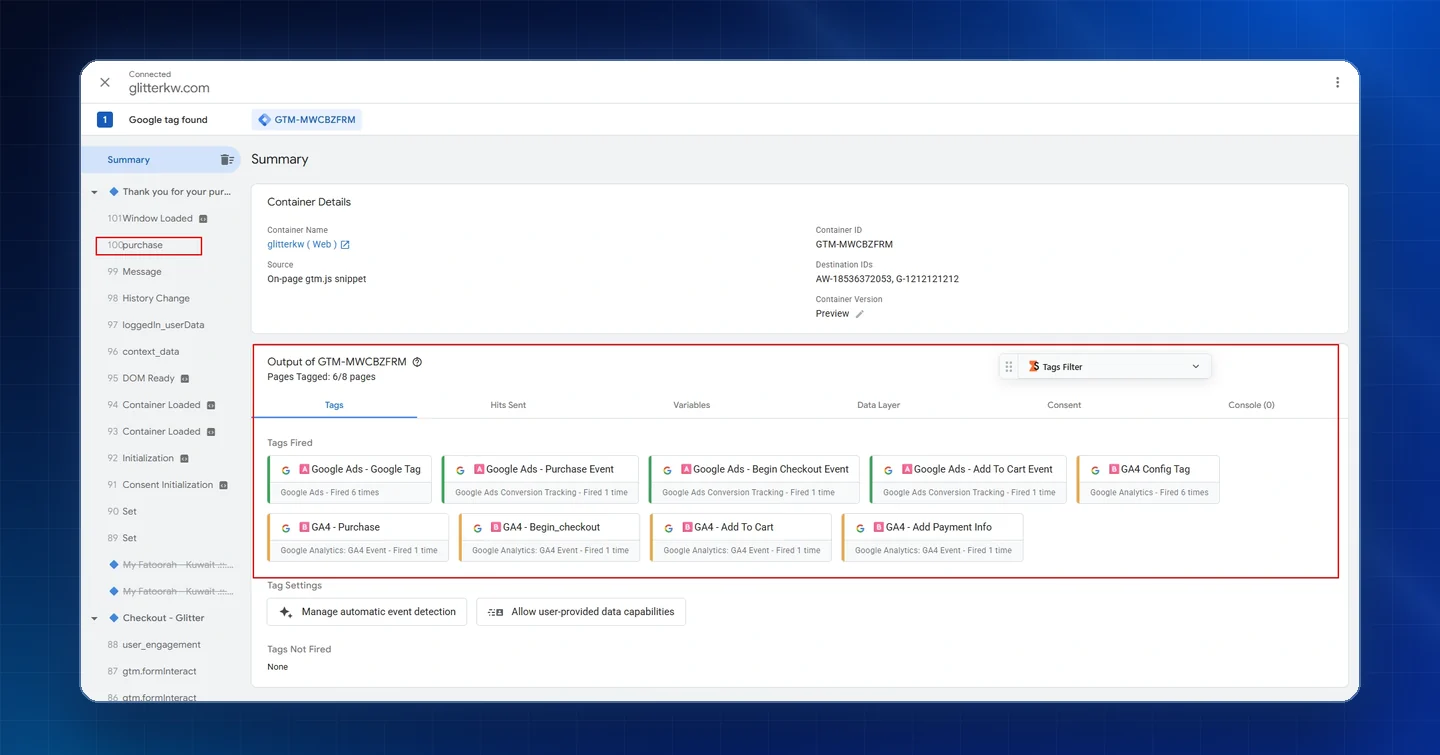
- Tag Assistant preview on the order thank-you page: every web tag fired, with Google Ads Purchase, Begin Checkout and Add To Cart and all GA4 event tags firing once
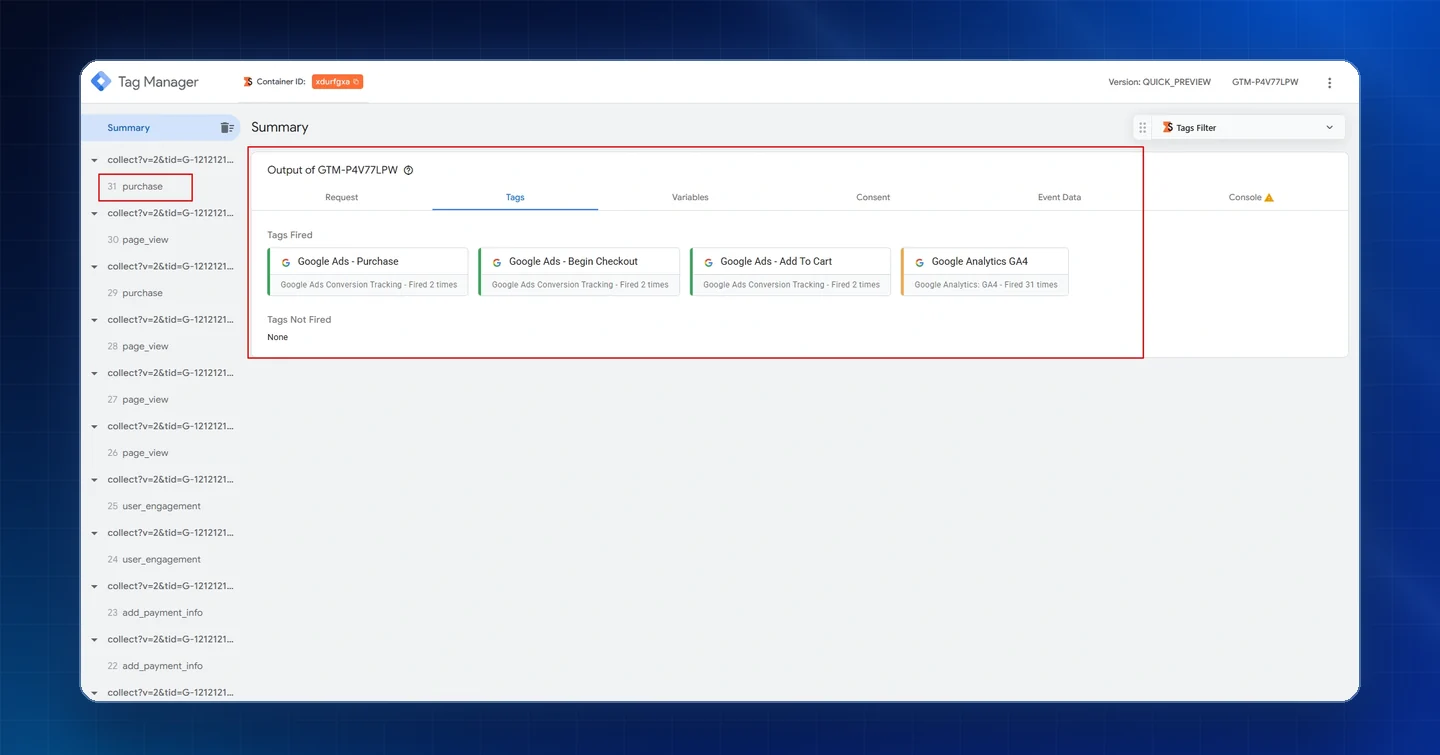
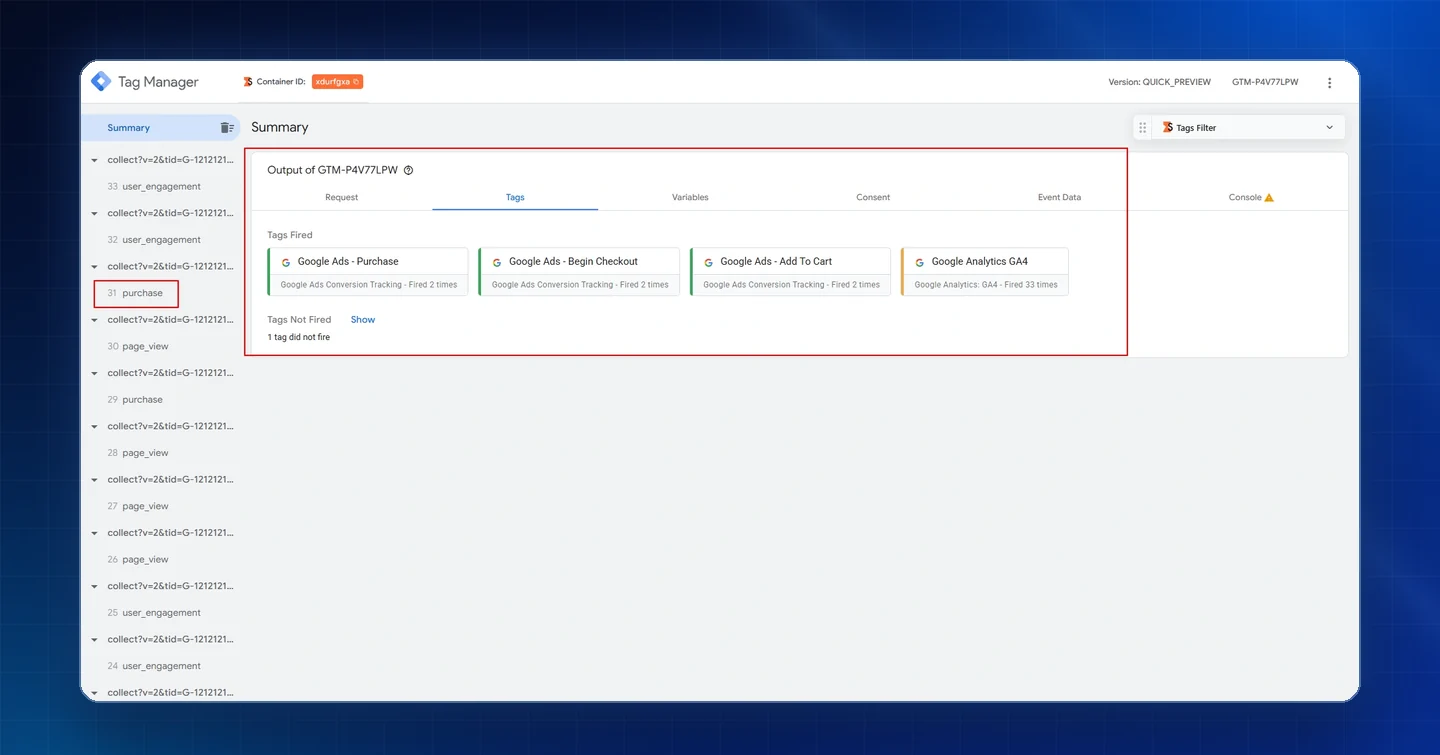
- Server GTM preview on purchase with Google Ads Purchase, Begin Checkout, Add To Cart and the GA4 tag fired
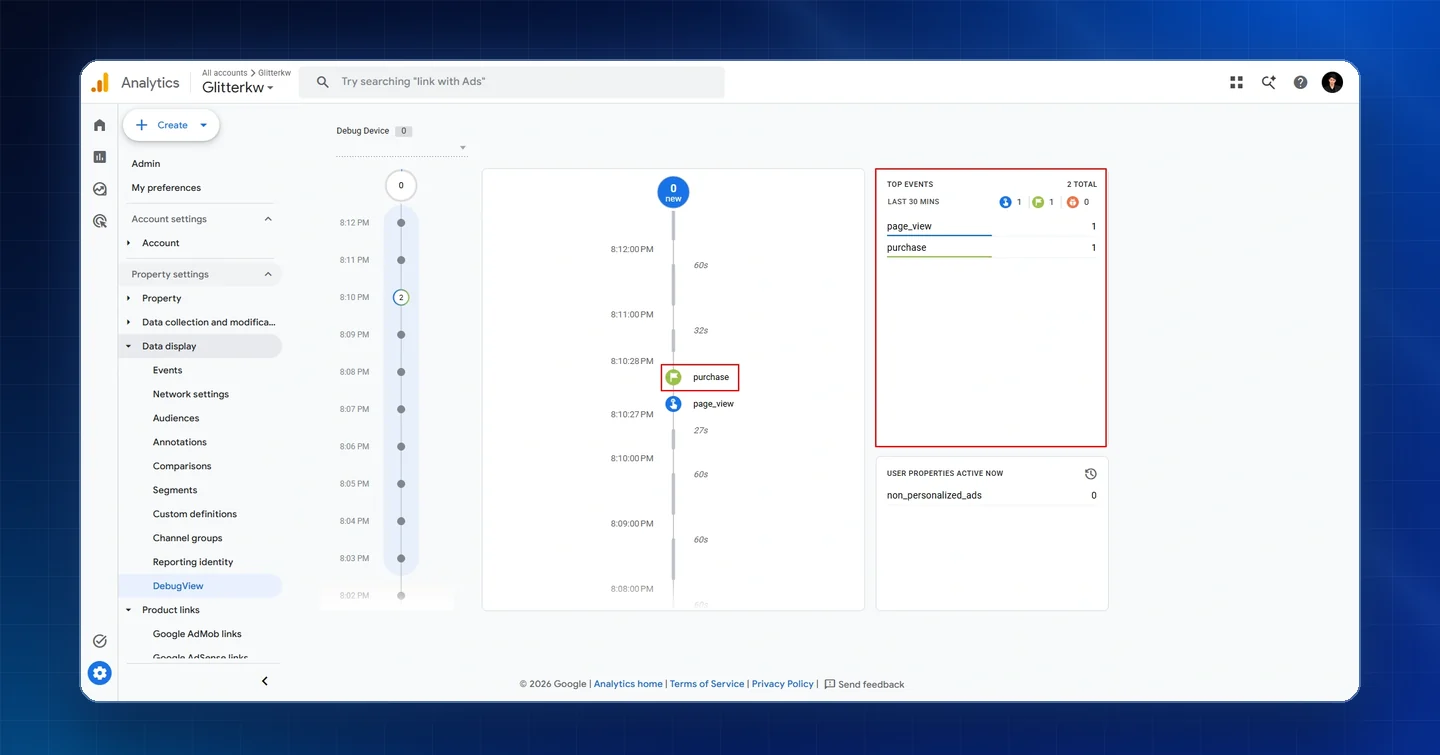
- GA4 DebugView checked for the purchase event
Tools used
Results
- All web tags fired on the order thank-you page in Tag Assistant, including Google Ads Purchase, Begin Checkout and Add To Cart and GA4 Purchase, Begin Checkout, Add To Cart and Add Payment Info
- Server GTM preview on purchase fired Google Ads Purchase, Begin Checkout, Add To Cart and the Google Analytics GA4 tag
- GA4 DebugView recorded the purchase event alongside page_view
- Google Ads Purchase, Add to cart and Begin checkout goals set up with Active status
