You set up the Meta Conversion API, the server events start flowing, and suddenly Ads Manager shows more purchases than your store actually received. Your ROAS looks fantastic, which is exactly the problem: Meta is now optimizing toward orders that did not happen twice.
Double-counting is the most common side effect of a hybrid Pixel plus server setup, and it almost always comes from broken or missing event deduplication. In this post I explain how Meta decides that two events are the same, the mistakes that break it, and how I test it before handing a setup to a client.
What is event deduplication in Meta CAPI?
Event deduplication is the process Meta uses to recognise that a browser event from the Meta Pixel and a server event from the Conversions API (CAPI) describe the same action, so it counts that action once. Meta recommends sending key events through both channels for reliability, which means every purchase can arrive twice by design. Deduplication is what makes that redundancy safe.
If you are new to the idea of running both, my post on Meta Pixel vs Conversion API explains why Meta wants both routes.
How does Meta deduplicate browser and server events?
Meta deduplicates browser and server events by matching two fields: the event name and the event ID. If a Pixel event and a server event for the same Pixel arrive with the same event_name and the same event ID within Meta's deduplication window, Meta keeps one and discards the other.
The two keys are named slightly differently on each side:
| Key | Meta Pixel (browser) | Conversions API (server) |
|---|---|---|
| Event name | First fbq('track', ...) argument, e.g. Purchase |
event_name, e.g. Purchase |
| Event ID | eventID in the options object |
event_id in the event payload |
Both values must match exactly. Purchase and purchase are different event names, and 10482 and order_10482 are different event IDs.
Meta has also documented a fallback that uses parameters such as fbp or external_id, but event_id is the method Meta recommends and the one I rely on. It is explicit, easy to test and does not depend on cookies being present. The deduplication window is limited, so a server event sent days after the browser event will not be matched; Meta's documentation has described it as 48 hours, but check the current docs if you send delayed events.
What does a correctly paired event look like?
Here is a browser Purchase event with an event ID:
fbq('track', 'Purchase',
  { value: 2450, currency: 'BDT', content_ids: ['TS-001'], content_type: 'product' },
  { eventID: 'order_10482' }
);
And the matching server event, simplified:
{
  "data": [{
    "event_name": "Purchase",
    "event_time": 1793347200,
    "event_id": "order_10482",
    "action_source": "website",
    "event_source_url": "https://example.com/checkout/thank-you",
    "user_data": {
      "em": ["<SHA-256 hash of normalized email>"],
      "ph": ["<SHA-256 hash of normalized phone>"],
      "client_ip_address": "203.0.113.10",
      "client_user_agent": "Mozilla/5.0 ...",
      "fbp": "fb.1.1793340000000.123456789",
      "fbc": "fb.1.1793340000000.IwAR..."
    },
    "custom_data": { "value": 2450, "currency": "BDT" }
  }]
}
Notice that eventID sits in the fourth argument of fbq, not inside the custom data object. That is one of the most common mistakes I find. Also note that email and phone are normalized and hashed with SHA-256, while IP address, user agent, fbp and fbc are sent as-is.
How should you generate event IDs?
You should generate one event ID per real-world action and pass that same value to both the Pixel and the server. How you generate it depends on the event:
- Purchase: use the order ID, with a prefix if you like (
order_10482). Both the thank-you page and your server know it, so it is easy to share. - Lead: use the form submission ID from your form plugin or CRM, if available.
- AddToCart, InitiateCheckout, ViewContent: generate a unique ID in the browser (for example a timestamp plus random string), push it into the
dataLayer, use it for the Pixel, and forward it to your server container with the same event.
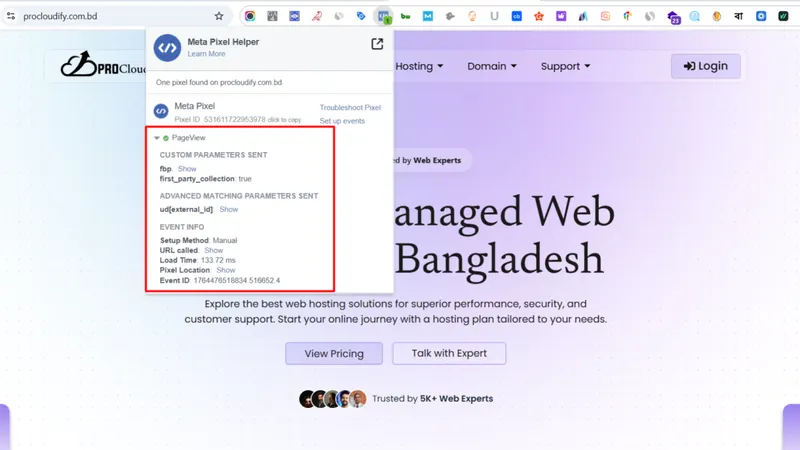
In server-side Google Tag Manager, the usual pattern is to send the event ID from the web container to the server container as an event parameter, then map it to the Conversions API tag's Event ID field. On the ProCloudify project, there was no deduplication between Pixel and CAPI at the start; I synchronized both with a unified event_id so Meta reporting stayed clean.
What are the most common deduplication mistakes?
The most common deduplication mistakes are mismatched IDs, mismatched names and two integrations sending the same event. Here is what I check first:
- IDs generated separately. The browser creates one random ID and the server creates another. They will never match.
- Event ID in the wrong place.
eventIDplaced inside the parameters object instead of the options object, so the Pixel sends no event ID at all. - Different event names. The Pixel sends
Purchasebut the server sends a custompurchase_complete, or the casing differs. - Two server integrations. A Shopify or WooCommerce plugin and a custom server-side GTM setup both send server Purchase events to the same Pixel, each with its own IDs. My guide to Meta CAPI on Shopify and WooCommerce covers how to avoid this.
- Old hardcoded Pixel code. A second copy of the Pixel fires
Purchasewithout any event ID, alongside the properly configured one. - Only the purchase is deduplicated. Upper-funnel events get no IDs, which inflates add-to-cart and checkout counts and weakens optimization for those events.
- Thank-you page reloads. Even with deduplication in place, repeated browser fires make debugging harder. Stop the Pixel from firing twice for one order.
How do you test that deduplication is working?
You test deduplication by triggering real events, then confirming in Meta Events Manager that browser and server versions share a name and ID and are being merged. My process:
- Open Events Manager > Test Events, enter your site URL, and complete a full journey including a test purchase.
- Confirm each key event appears from both the browser and the server.
- Open each event and check that the event ID is identical on both versions.
- In GTM Preview mode (web and server), confirm the same ID value moves from the
dataLayerto the Conversions API tag. - After a few days of real traffic, review the event's details in the Overview and the Diagnostics tab for deduplication warnings.
- Compare Meta purchases with actual orders for the same period. A large surplus usually points to a deduplication problem.
Events Manager's layout changes from time to time, but Meta generally reports deduplication and event coverage per event and raises a diagnostic when it detects server and browser events that it cannot match.
On the Tea of Sylhet WooCommerce store, syncing event_id between Pixel and CAPI was a specific step in the build to prevent duplicate purchase conversions, alongside Pixel Helper testing and server log monitoring in Stape.
Final thoughts
Deduplication comes down to one rule: the same action must carry the same event name and the same event ID from both the browser and the server. Get that right and a hybrid setup gives you more complete data without inflated numbers. If your Meta purchases do not line up with your orders, my advanced conversion tracking service includes a full deduplication review, or you can book a free tracking audit.