You install the Meta Conversions API, events start arriving from the server, and Events Manager greets you with an Event Match Quality score of 3 or 4 out of 10. Meta then nudges you to "improve your match quality" without telling you exactly what is missing. A low score usually means Meta cannot connect many of your conversions to the people who saw or clicked your ads, which weakens attribution, audiences and optimisation.
This guide explains what Event Match Quality measures, which customer information parameters move it, and the exact steps I follow to raise it on client setups.
What is Meta Event Match Quality?
Event Match Quality (EMQ) is a score from 0 to 10 that Meta shows in Events Manager to estimate how effectively the customer information sent with a server event can be matched to a Meta account. Each event name gets its own score, so your Purchase event can score well while AddToCart scores poorly.
It helps to keep two things separate:
- EMQ is about matching, not counting. A high score does not mean all your purchases are tracked. It means the events you do send carry enough identifiers for Meta to recognise the person.
- It is calculated from what you send. Meta looks at which customer information parameters are present on your events and how often they lead to a match. You cannot raise it from inside Ads Manager, only by sending better data.
If you are not yet running the Conversion API (CAPI), Meta's server-to-server connection, start with why you need both the Pixel and CAPI.
Which customer information parameters matter most?
The parameters that matter most are the ones that uniquely identify a person or a click: email, phone number, the click ID cookie (fbc), the browser ID cookie (fbp), an external ID, and the IP address and user agent of the browser. Names and location fields help, but less on their own.
| Parameter | Key | What it is | Hash it? |
|---|---|---|---|
em |
Customer email address | Yes, SHA-256 | |
| Phone | ph |
Phone with country code | Yes, SHA-256 |
| Click ID | fbc |
Built from the fbclid in the ad click URL |
No |
| Browser ID | fbp |
Value of the _fbp cookie set by the Pixel |
No |
| External ID | external_id |
Your own customer or user ID | Recommended |
| IP address | client_ip_address |
The visitor's IP, not your server's | No |
| User agent | client_user_agent |
The visitor's browser user agent | No |
| First / last name | fn / ln |
Customer name | Yes, SHA-256 |
| City, state, zip, country | ct, st, zp, country |
Billing or shipping address | Yes, SHA-256 |
| Date of birth, gender | db, ge |
Rarely available | Yes, SHA-256 |
Two mistakes I see constantly with the unhashed fields: sending your server's IP address instead of the visitor's, and sending the server's own user agent. Both look valid but match nobody. On a website event, client_user_agent and client_ip_address must come from the visitor's browser request.
How do you raise Event Match Quality with CAPI?
You raise Event Match Quality by sending more of the high-value identifiers on every server event, in the correct format, as early in the funnel as you have them. These are the steps I follow, in order of impact.
1. Send email and phone on every event where you know them
Purchases and leads usually have email and phone, but many setups only send them on Purchase. If a customer is logged in, or has typed their email at checkout, pass it on InitiateCheckout, AddPaymentInfo and later events too. For lead forms, read the email and phone from the form and send them with the Lead event.
2. Always pass fbp and fbc
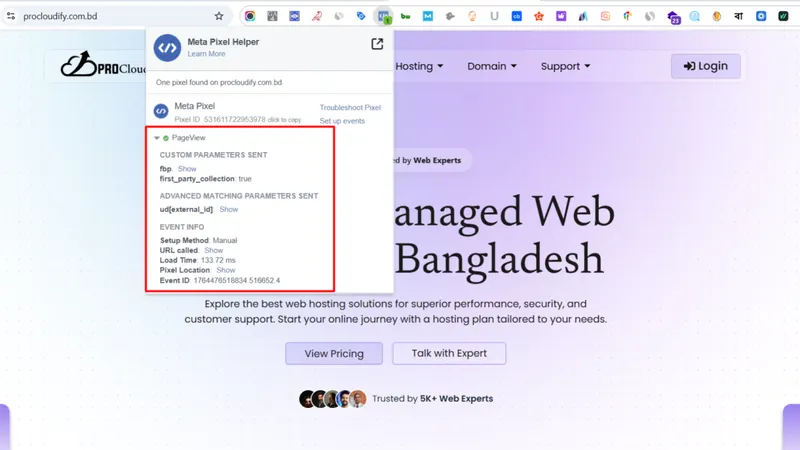
fbp and fbc are what connect a server event to the browser and the ad click. Read the _fbp and _fbc cookies in the browser and forward them to your server container or backend with each event.
If the _fbc cookie is missing but the landing page URL contains fbclid, you can build fbc yourself in this format:
fb.1.<creation time in milliseconds>.<fbclid value>
The fbclid part must be copied exactly as it appears in the URL, with no change to its case. Only build fbc when there really was an fbclid; never invent one for visitors who did not come from a Meta ad. If fbclid keeps disappearing from your landing pages, check a real ad URL with my click ID checker. Redirects and page builders are the usual culprits.
3. Add an external ID
external_id is any stable ID you hold for the visitor, such as a customer ID, CRM contact ID, or a first-party ID you generate on the first visit and store in a cookie. Send the same value from the Pixel and the server, on every event. It lets Meta connect browsing events to later purchases even when email is not yet known.
4. Forward the visitor's IP address and user agent
In server-side Google Tag Manager (sGTM), the GA4 client normally receives the visitor's IP and user agent with each request, and a Meta CAPI tag can pass them through. If you send events from a backend or a webhook, capture them at the time of the browser request and store them with the order or lead. Read server-side tracking explained if you are deciding how to host this.
5. Turn on advanced matching for the Pixel
The browser side matters too. In Events Manager, the Pixel's settings include automatic advanced matching, which lets the Pixel pick up customer details from forms on your site. For more control, pass the values yourself when you initialise the Pixel:
fbq('init', 'YOUR_PIXEL_ID', {
  em: 'customer@example.com',
  ph: '8801712345678',
  external_id: 'cust_20931'
});
The Pixel hashes these values before sending them. Keep the browser and server values identical, so both copies of an event describe the same person. That also supports clean event deduplication.
How should you normalise and hash customer data?
You should normalise each value to Meta's expected format first and then hash it with SHA-256, exactly once. A hash changes completely if one character differs, so John@Gmail.com and john@gmail.com produce two different hashes, and only the second one can match.
The normalisation rules I apply before hashing:
- Email: trim spaces, lowercase.
- Phone: digits only, including the country code, with no plus sign, spaces, dashes or leading zeros before the country code. A Bangladeshi mobile becomes
8801712345678. - First and last name: lowercase, no punctuation. Use UTF-8 for names with special characters.
- City: lowercase, no spaces or punctuation.
- State: two-letter code in lowercase, for US addresses.
- Zip: lowercase, no spaces. US zips use the first five digits.
- Country: two-letter ISO country code in lowercase, such as
bdorus.
Do not hash fbc, fbp, client_ip_address or client_user_agent. And check whether your tool hashes for you: many sGTM templates, platform apps and Meta's own SDKs hash automatically, so hashing beforehand produces a hash of a hash that matches nothing.
To check your output, paste a test email or phone into my enhanced conversions hash generator. It normalises and hashes the value in your browser the way Meta expects, so you can compare the result with what Events Manager or your server logs show.
How do you check Event Match Quality in Events Manager?
You check Event Match Quality in Events Manager by opening your dataset, selecting a server event in the Overview and viewing its event match quality details. Meta shows the score along with which customer information parameters it receives and how often.
My review checklist:
- Look at EMQ for
PurchaseandLeadfirst. These matter most for optimisation. - Check the parameter list for each event. Is email, phone,
fbcandfbpcoverage close to what you expect? - Open Test Events and inspect a real server payload. Confirm IP and user agent are the visitor's, not your server's.
- Review the Diagnostics tab for warnings such as invalid
fbcvalues, unhashed data or a server IP being sent. - Re-check a few days after each change. The score updates from recent traffic, so it does not move instantly.
Upper-funnel events like PageView and ViewContent usually score lower, because anonymous visitors have not given you an email yet. That is normal. Focus on getting fbp, fbc, IP, user agent and external ID on those events, and full customer data on checkout and purchase.
A real example
For Histro Clothing, a Bangladeshi fashion brand, the starting setup was browser Pixel only with low match quality. I added CAPI through a GTM server container on Stape and sent hashed email, phone, IP and user agent with the server events, with event_id deduplication against the Pixel. Match quality went from around 3 to 9 out of 10.
Final thoughts
Event Match Quality is mostly a data-plumbing problem: send the visitor's real identifiers, in the right format, on every event where you have them. Fix the high-value parameters first and the score usually follows. If your score is stuck, my advanced conversion tracking service covers a full CAPI review, or you can book a free tracking audit.