About Bag Pacxi
Bag Pacxi (bagpacxi.com) is a Bangladeshi brand selling travel bags online. The store runs on WordPress with WooCommerce, and Google Ads is used to bring shoppers to it.
Project overview
Bag Pacxi needed Google Ads to see real store actions, not just clicks. Begin checkout and purchase had to reach Google Ads as conversion actions, remarketing audiences had to be built from shoppers who started or finished a checkout, and GA4 needed the same funnel plus engagement signals.
I set up a web GTM container on the WooCommerce store and a server-side GTM container on Stape Pro. WooCommerce ecommerce events trigger Google Ads conversion and remarketing tags and GA4 event tags in the browser, the GA4 stream is forwarded to the server container, and Google Ads conversion and remarketing tags fire again server-side.
Goals
- Track begin checkout and purchase as Google Ads conversion actions
- Build Google Ads remarketing audiences from all visitors, checkout starters and buyers
- Send begin_checkout, purchase, scroll depth and time-on-page events to GA4
- Route events through a server-side GTM container to reduce data loss
- Add Microsoft Clarity for session recordings and heatmaps
Challenges
- WooCommerce checkout events needed to be read reliably before any conversion tag could fire
- Google Ads needed separate goals for purchase, add to cart and begin checkout
- Remarketing needed audience signals from both checkout and purchase steps
- Browser-only tags are exposed to ad blockers and tracking prevention
Strategy
I used Google Tag Manager as the single tracking layer on WooCommerce. A Google Ads Google tag and Conversion Linker run on all pages, and the begin_checkout and purchase events trigger Google Ads conversion tags, Google Ads remarketing tags and GA4 event tags. GA4 hits are forwarded to a server-side GTM container on Stape Pro, where Google Ads Begin Checkout and Purchase conversion tags, the remarketing tags, a Conversion Linker and the Google Analytics GA4 tag fire from the incoming events.
What I implemented
Web GTM container (WooCommerce)
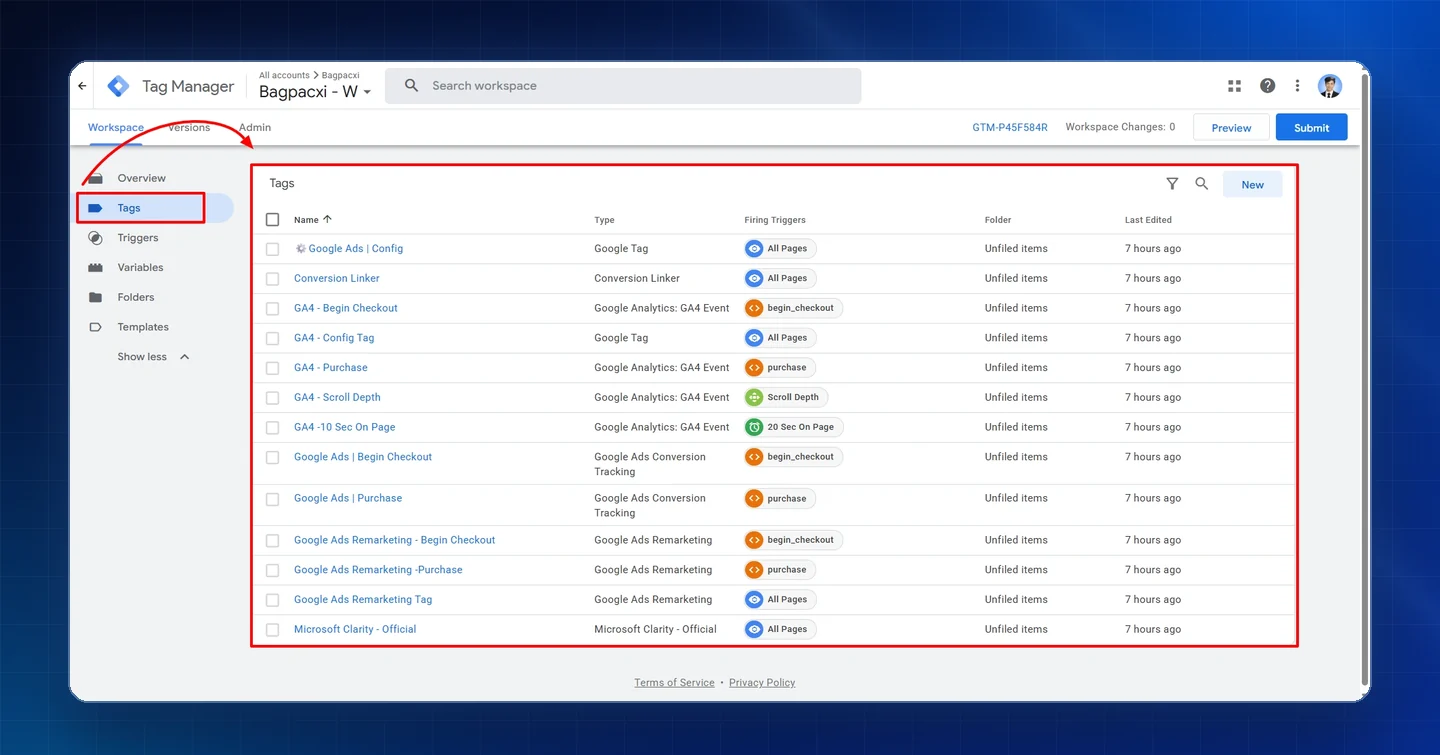
- Google Ads Google tag, Conversion Linker and Google Ads Remarketing Tag on all pages
- Google Ads conversion tags for Begin Checkout and Purchase
- Google Ads remarketing tags for Begin Checkout and Purchase
- GA4 Config Tag with event tags for Begin Checkout, Purchase, Scroll Depth and 10 seconds on page
- Microsoft Clarity on all pages
Server-side GTM container (Stape Pro)
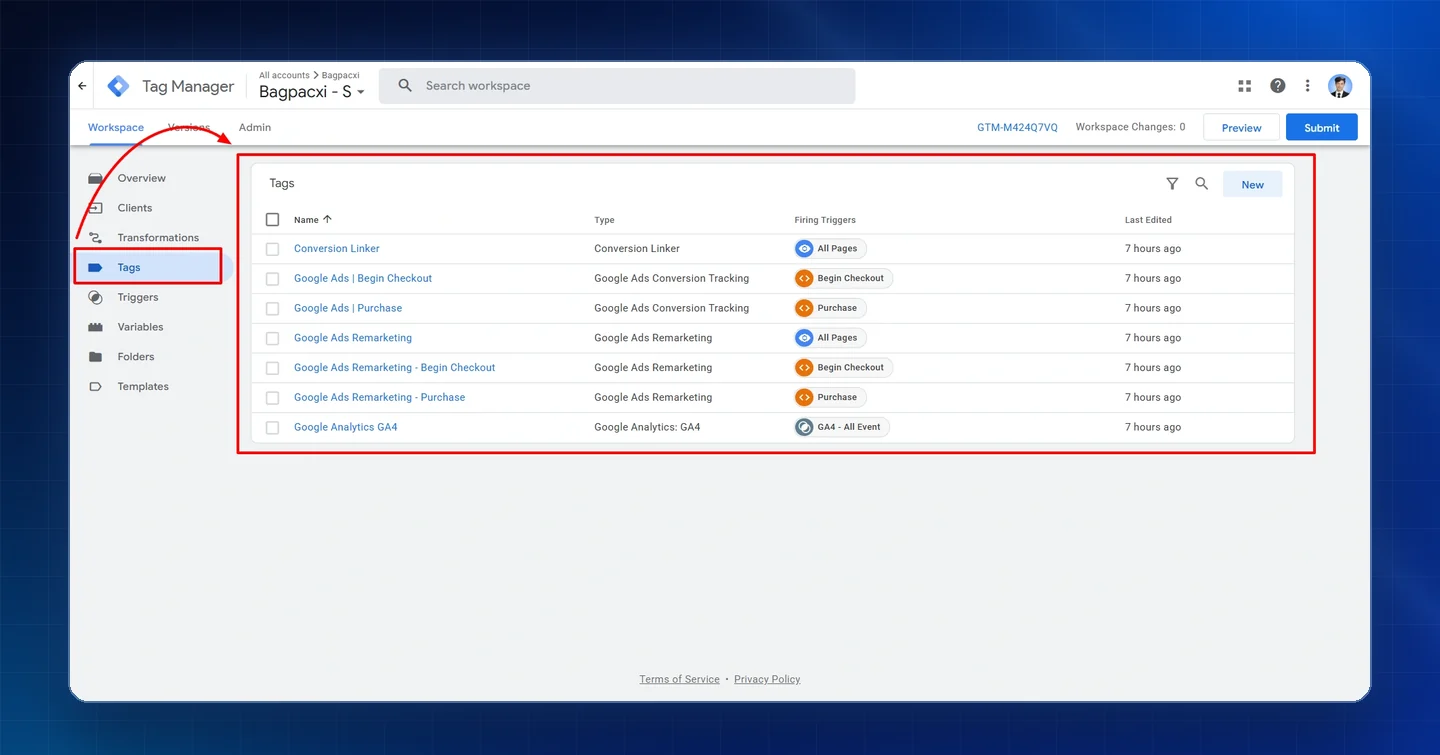
- Google Analytics GA4 tag fired on all incoming GA4 events
- Google Ads conversion tags for Begin Checkout and Purchase
- Google Ads Remarketing on all pages, plus Begin Checkout and Purchase remarketing tags
- Conversion Linker on all pages
Google Ads conversion goals
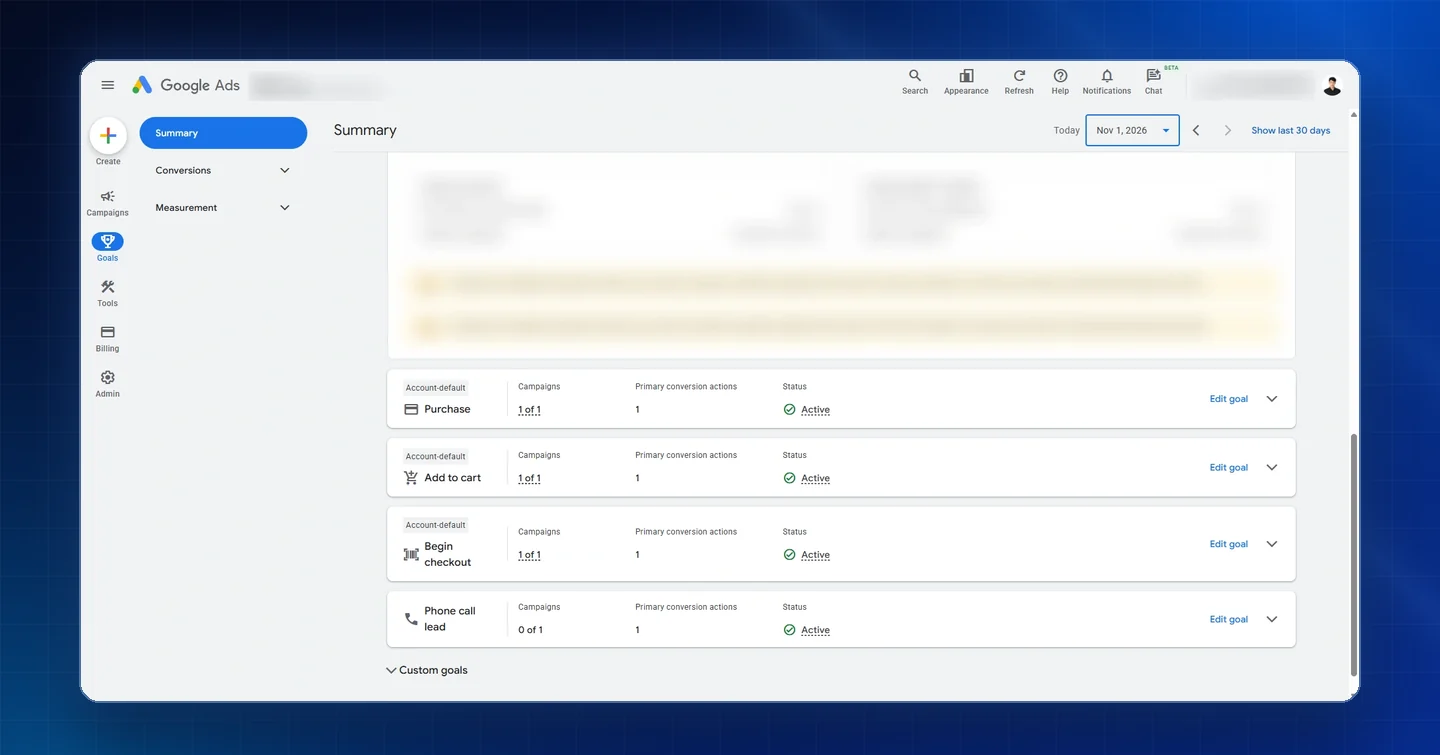
- Purchase, Add to cart and Begin checkout goals, each with a primary conversion action and Active status
- Phone call lead goal with an active primary action
QA & validation
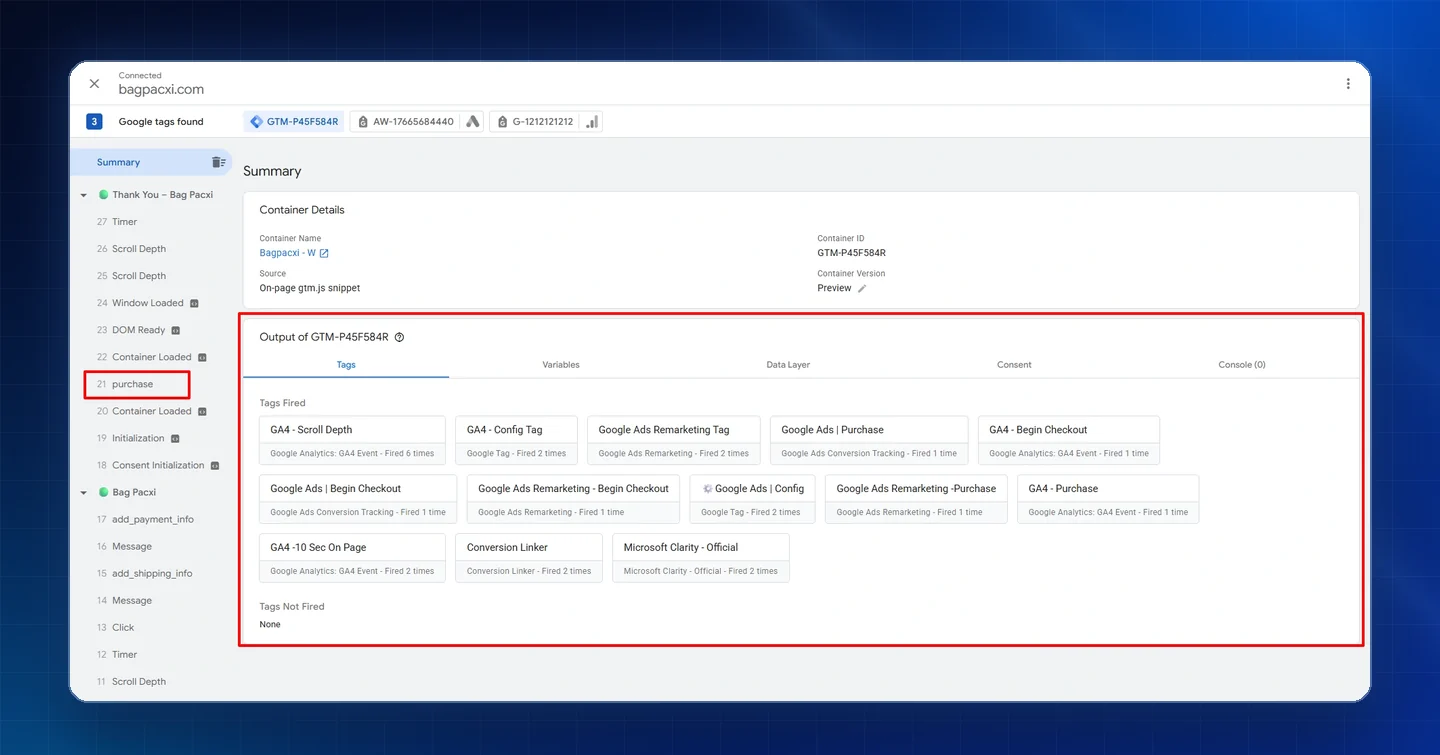
- Tag Assistant preview on the thank-you page with all 13 web tags fired and none left unfired
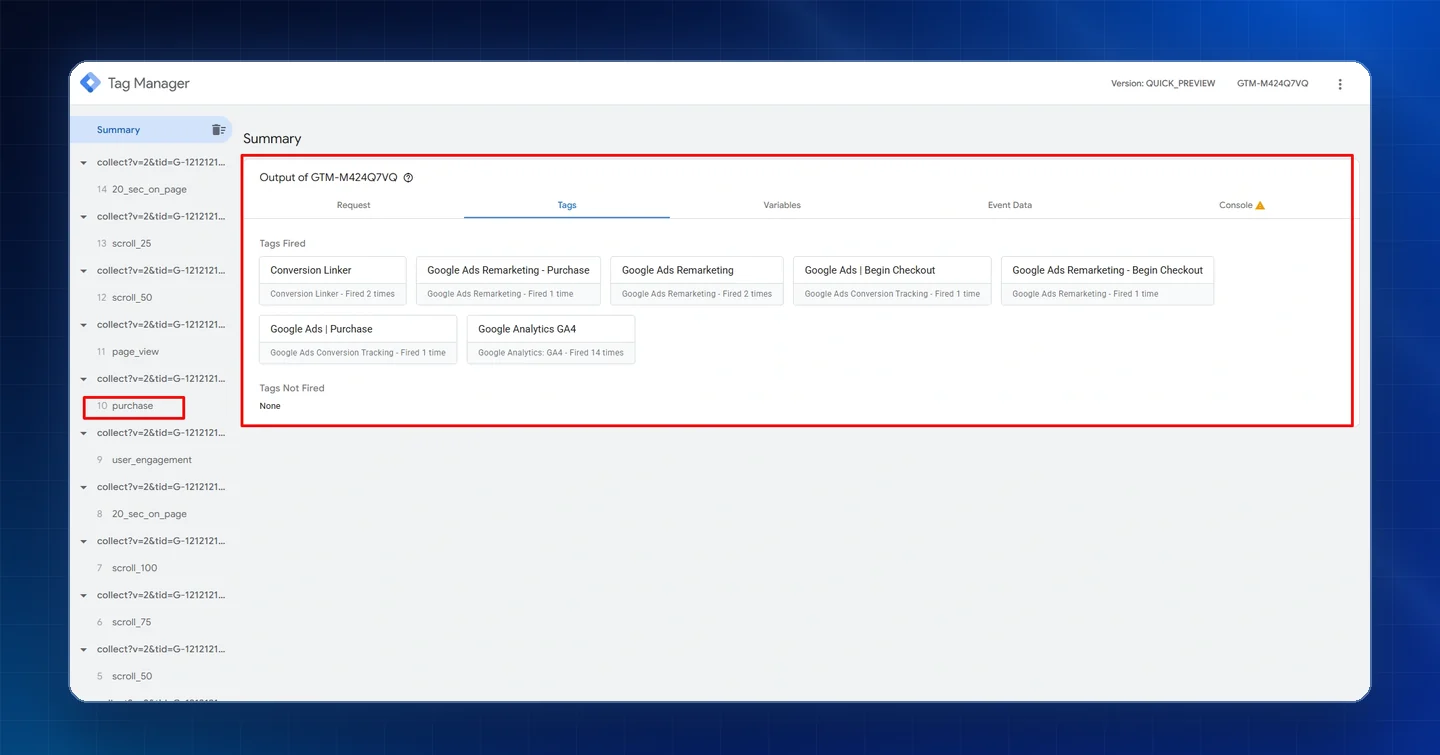
- Server GTM preview on purchase with all 7 server tags fired
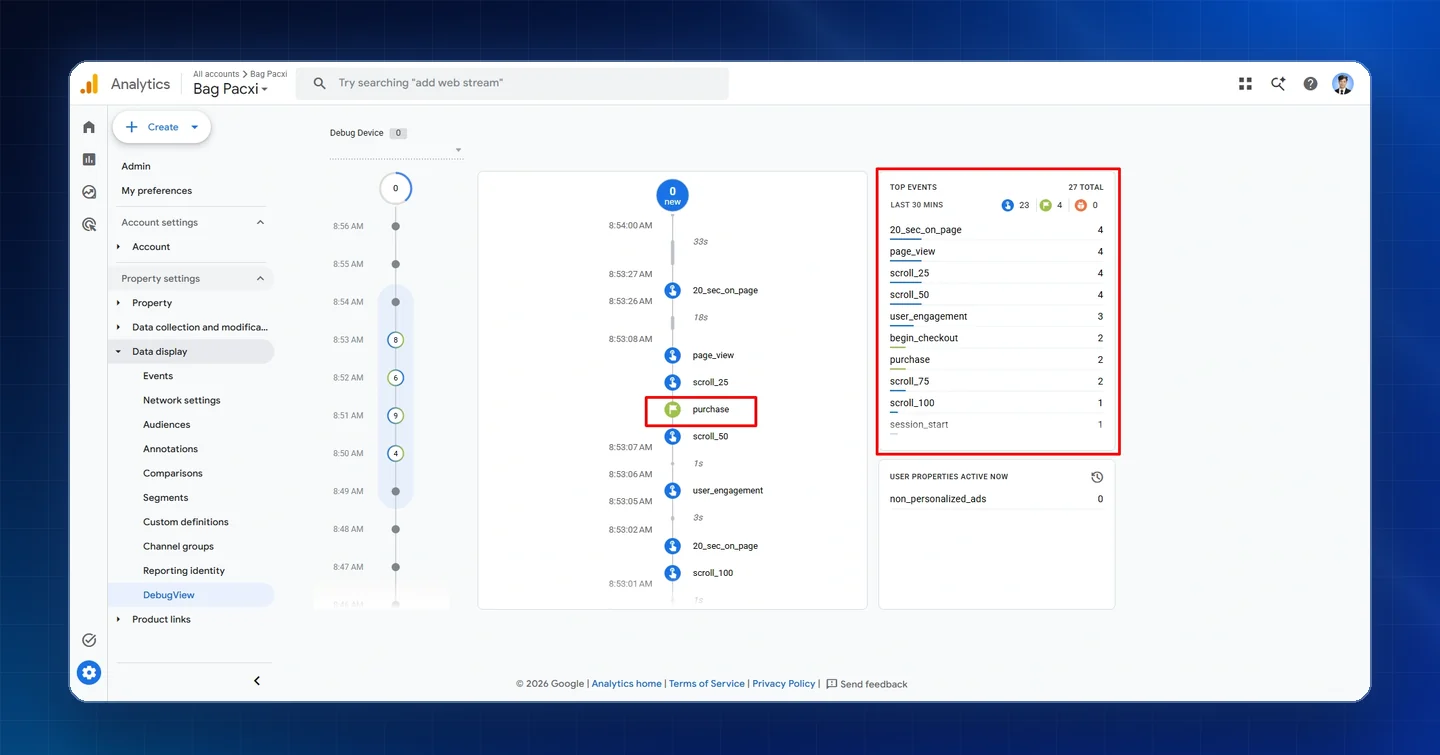
- GA4 DebugView checked for purchase, begin_checkout, scroll and 20_sec_on_page events
Tools used
Results
- All 13 web GTM tags fired on the thank-you page in Tag Assistant, with none left unfired
- Server GTM preview on purchase fired all 7 server tags, including Google Ads Purchase, Begin Checkout and remarketing, with the GA4 tag firing 14 times
- GA4 DebugView recorded purchase and begin_checkout alongside page_view, scroll and 20_sec_on_page events
- Google Ads Purchase, Add to cart and Begin checkout goals set up with Active status
