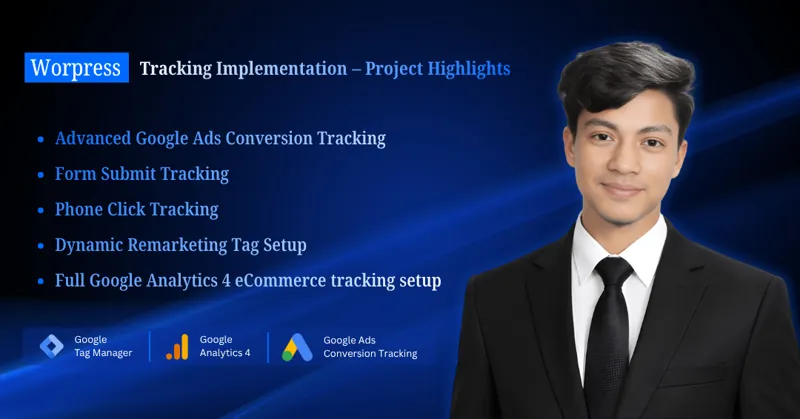
Plumbers, HVAC companies, cleaners, chimney sweeps and renovation firms all share one habit: their customers phone. That makes call tracking the most important part of their Google Ads measurement, and also the easiest part to get wrong. I often see accounts where one call is counted three times, where existing customers ringing to reschedule count as new leads, or where every call is worth the same no matter what job it brings in.
This is a strategy guide rather than a setup tutorial. It covers which calls should count, how to value them, how to set primary and secondary actions and how to report on calls in a way a business owner can act on. If you need the technical setup, start with my Google Ads call tracking overview. I walk through the GTM side of call tracking in my video above.
Which calls should count as conversions?
Only calls from potential new customers asking about a service you offer, in an area you cover, should count as primary conversions. Everything else is noise for bidding, even if it is a normal part of running the business.
| Call type | Count as a primary conversion? | Notes |
|---|---|---|
| New customer asking for a quote or booking | Yes | The call you are paying for |
| New customer, service you do not offer | No | Review search terms and add negatives |
| New customer outside your service area | No | Check location targeting settings |
| Existing customer rescheduling or asking a question | No | Usually from people who searched your brand |
| Sales calls, spam, job applicants | No | Often long enough to pass a duration filter |
| Missed call, no voicemail | No | Fix staffing or asset schedules |
Native Google Ads call conversions cannot see these differences; they only know duration. A minimum call length filters out misdials and quick hang-ups, but a 4-minute sales pitch still passes. That is why I treat call length as a first filter, and qualification in a CRM or call-tracking tool as the real one when the business can support it. My guide to importing qualified calls from CallRail or a CRM covers that step.
If existing customers make up much of your call volume, look at brand campaigns. Separating brand and non-brand campaigns lets you judge the cost of genuinely new enquiries without returning customers inflating the numbers.
How do you set a value for a phone call?
You set a call value by estimating what an average call is worth to the business, then updating it as real data arrives. Even a rough value is better than none, because it lets you compare calls with forms and lets value-based bidding favour the better lead type later.
A simple way to estimate it:
call value = average job value × share of qualified calls that book
For example, with hypothetical numbers: if an average cleaning job is worth $200 and roughly one in four qualified calls books, a qualified call is worth about $50. Use the business's own figures, not industry averages from a blog.
Some refinements I use:
- Different values for different services. A boiler installation call is worth far more than a filter change. If the business tracks separate numbers or campaigns per service, values can differ by conversion action.
- Lifetime value for recurring work. Regular cleaning clients or annual HVAC maintenance plans are worth more than one visit. Decide whether to value the first job or the expected relationship, and be consistent.
- Real values once you import. When booked jobs come back from a CRM with actual amounts, those replace the estimate.
Which call conversions should be primary and which secondary?
Make one action primary for each real enquiry path, and make everything that could describe the same call secondary. Primary actions appear in the Conversions column and inform Smart Bidding; secondary actions appear only in All conversions for observation.
For a typical local service account where Google forwarding numbers are supported, I recommend:
| Conversion action | Status | Why |
|---|---|---|
| Calls from ads (call assets) | Primary | Direct enquiry from the ad |
| Calls from website (forwarding number) | Primary | Confirms a real call after an ad click |
| Click-to-call taps (GTM) | Secondary | Overlaps with website calls |
GA4 phone_click key event imported |
Secondary, or not imported | Duplicates the GTM tag |
| Contact or quote form | Primary | A separate enquiry path |
| Imported qualified call or booked job | Primary once reliable | Then demote the native call actions to secondary |
Where forwarding numbers are not available, the click-to-call tag usually becomes the primary website call action. I explain that setup in tracking phone call clicks with GTM.
Also check goal settings. Campaigns can use account-default goals or campaign-specific goals, and a primary action inside a goal the campaign does not use will not inform its bidding.
How do you avoid double counting calls?
You avoid double counting by mapping every call signal to the real-world event it describes and keeping only one primary action per event. Overlaps happen when two actions can fire for the same person and the same call.
The overlaps I check in every audit:
- Click-to-call tap plus website call. A visitor taps the swapped number, the tap fires a GTM conversion and the connected call fires a website call conversion. One call, two conversions.
- GTM tag plus imported GA4 event. The same
phone_clickreaches Google Ads twice, once from the tag and once through the GA4 import. - Native call conversions plus call-tracking imports. CallRail-style integrations and Google's website call conversions both counting the same call, sometimes with conflicting number swaps.
- Two duplicate actions after a rebuild. An old conversion action left primary alongside its replacement.
Calls from ads and website calls do not normally overlap, because one happens on the ad and the other after a visit. For Kazi Cleaning, I set up separate Google Ads goals for lead forms and phone calls, with Calls from Ads and a GTM click-to-call action as the primary call actions, alongside phone click and form submit events in GA4. Separating goals like this makes it easy to see each enquiry path on its own.
What should you report on each month?
Report on the numbers that connect ad spend to booked work, not on clicks and impressions. A business owner wants to know how many genuine enquiries came in, what each cost and whether the phones were answered.
The monthly checklist I use:
- Conversions by action: calls from ads, website calls, forms, imported jobs
- Cost per primary conversion, and per booked job if imported
- Missed calls by day and hour from the call details report
- Share of calls under the minimum call length (noise level)
- Search terms behind call conversions, with negatives added
- Calls by campaign and service, compared with the business's own call log
- Any conversion action with zero data or a sudden spike (often a broken tag)
I build this in Looker Studio for most clients, but a one-page summary works too. Two related reads: Google Ads for cleaning businesses for campaign strategy, and negative keywords for local service businesses for cutting calls you do not want.
Final thoughts
Good call tracking for a local business is mostly about decisions, not tags: which calls count, what they are worth and which single action represents each call. Get those right and Smart Bidding has something real to optimise for. If you want help, see my Google Ads management for local services or book a free tracking audit.