When a new client hands me access to their Google Ads account, I do not start by changing bids or writing new ads. I start with an audit, because most performance problems come from a handful of issues hiding in places nobody looks: a conversion counted twice, a location setting left on default, or a campaign quietly spending on Display.
This is the checklist I work through in every account, in the order I use it. You can follow it yourself, even if you are not a specialist.
Why should you audit your Google Ads account?
You should audit your Google Ads account because automated bidding, default settings and years of small changes can quietly push spend toward the wrong searches and the wrong conversions. An audit tells you whether the data is trustworthy and where money is leaking before you try to optimise anything.
I audit in this order:
- Conversion tracking
- Account and campaign settings
- Structure
- Keywords and search terms
- Ads and assets
- Bidding and budgets
- Landing pages
- Performance Max (if used)
Tracking always comes first. If conversions are wrong, every other number in the account is wrong too.
What do I check in conversion tracking?
I check whether each primary conversion is a real business result, fires once per genuine conversion, and is set up with the right count, value and attribution settings. This is where I find the most serious problems.
Open Goals > Conversions (menu names change from time to time) and review every action:
- Primary actions are real outcomes. Purchases, quote requests, bookings and qualified calls, not page views or button clicks.
- No duplicates. The same lead is not counted by a native Google Ads tag and a GA4 import, both set as primary.
- Count setting. "One" for leads, "Every" for purchases.
- Values. Purchases pass real order values; lead values, if used, are realistic.
- Attribution. Data-driven is the default for most actions; note any action still on last click and whether that is deliberate.
- Status. No actions marked inactive, unverified or needing attention that should be recording.
- Enhanced conversions. Enabled where forms or checkouts collect email or phone.
- Consent Mode. Implemented correctly if you have visitors from regions that require consent.
- Offline conversions. For lead businesses, are qualified leads or sales being imported from the CRM?
Then I test the tags themselves with GTM Preview mode and Tag Assistant. My 30-minute tracking audit checklist covers that part in detail, and my guide to Google Ads conversion tracking with GTM explains how a clean setup should look.
Which account and campaign settings do I review?
I review the settings that cause silent waste: location options, networks, languages, auto-applied recommendations and automatically created assets. Defaults here often favour reach over relevance.
| Setting | What I look for | Common issue |
|---|---|---|
| Location options | "Presence: people in or regularly in" your areas | Left on presence or interest, so ads reach people elsewhere |
| Networks | Display Network and Search partners chosen deliberately | Search campaigns spending on Display placements |
| Languages | Matches how customers search | Only one language when customers use two |
| Ad schedule | Matches when you can answer calls and leads | Call ads running when nobody picks up |
| Auto-applied recommendations | Each one reviewed, not all switched on | Keywords or bid strategies changed without anyone noticing |
| Automatically created assets | Reviewed for accuracy | Generated headlines that promise things you do not offer |
| Account access | The business owns the account; users are current | Former agencies or staff still with admin access |
I also check the change history to see what has been changed recently and by whom. It often explains a sudden change in performance faster than any report.
How do I assess account structure?
I assess whether campaigns are split for real reasons, such as budget, location or bidding needs, and whether each ad group has one clear theme with a matching landing page.
Questions I ask:
- Are brand and non-brand searches in separate campaigns?
- Are there ad groups mixing unrelated services?
- Are there many tiny campaigns that never gather enough conversions to learn?
- Is any profitable service limited by a shared budget with a weaker one?
If the answers point to problems, I follow the principles in my post on Google Ads account structure.
What do I look for in keywords and search terms?
I look at the search terms report first, because it shows what people actually typed, not just the keywords you chose. This is usually where the quickest savings are.
- Sort search terms by cost over the last 30 to 90 days.
- Mark irrelevant terms: job seekers, DIY, free, wrong services, wrong locations, competitors you do not want.
- Add them as negatives at the right level, using shared lists for universal terms.
- Check for converting search terms that are not yet keywords and consider adding them.
- Review match types. Broad match can work well with Smart Bidding and good conversion data, but it needs close monitoring of search terms.
- Look at the Quality Score components on high-spend keywords.
For lists of common negatives, see negative keywords that save local service businesses money. For Quality Score, see how to improve Google Ads Quality Score.
How do I evaluate ads and assets?
I evaluate whether each ad group has at least one responsive search ad that clearly reflects the ad group's theme, and whether useful assets are in place. I treat Ad Strength as a guide to variety, not a performance score.
- Each ad group has an active responsive search ad (RSA)
- Headlines mention the specific service or product, not just the brand
- Offers, prices and guarantees in the ads are still true
- Not every headline is pinned
- Sitelinks, callouts and structured snippets are present
- Call and location assets are set up for local businesses
- Disapproved or limited ads and assets are fixed
How do I check bidding and budgets?
I check that each campaign's bid strategy fits its conversion data, that targets are realistic, and that budgets go to the campaigns that perform best.
- Strategy fit: Maximize Conversions or Maximize Conversion Value, with or without a target, matched to whether conversions have meaningful values. My Smart Bidding guide covers this.
- Targets: A target CPA or target ROAS far from historical results usually limits volume.
- Bid strategy status: Learning, limited or misconfigured statuses and what is causing them.
- Budget status: Profitable campaigns marked "Limited by budget" while weaker ones spend freely.
- Data exclusions: Whether past tracking outages were excluded so bidding did not learn from bad data.
What do I check on landing pages?
I check that every ad group sends traffic to a page that matches the ad, loads quickly on mobile and makes contacting the business easy. A poor page can undo a well-built campaign.
I test each main landing page on a phone, submit a test lead, and check that the form or call button actually works and is tracked. My landing page checklist covers what I look for.
What extra checks do I run on Performance Max?
For Performance Max, I check the controls that stop it from spending on traffic you do not want or claiming credit it did not earn.
- Conversion goals include only real primary conversions
- Brand exclusions are applied if a brand Search campaign exists
- Campaign-level negative keywords are in place
- Final URL expansion is off or limited with URL exclusions
- Location targeting uses presence
- Asset groups are themed and use your own images and video
- Search term insights and asset reports have been reviewed
See my Performance Max guide for the reasoning behind each.
Final thoughts
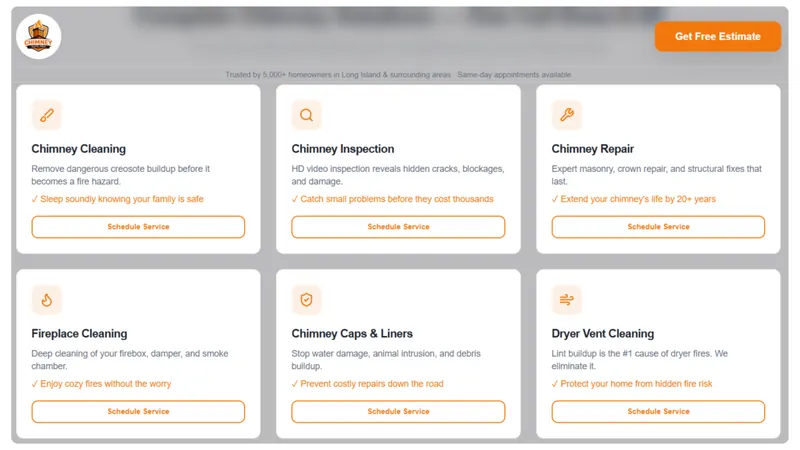
Most accounts I audit do not need a radical rebuild; they need accurate conversions, a few corrected settings and steady search term cleanup. When I worked on Chimney Safe Pro, the foundations were the same ones on this list: high-intent keywords, strict geo-targeting, lead tracking as the primary conversion and negatives for DIY and informational searches. If you want a second pair of eyes, see my Google Ads management service or book a free audit.