Performance Max is the campaign type Google promotes hardest, and it divides advertisers. Some ecommerce brands rely on it for most of their sales. Some local service businesses switch it on, watch leads arrive, and later discover half of them were spam or people outside the service area.
Both experiences are real. In this guide I explain how Performance Max works, which controls you actually have, and how I decide whether an account is ready for it.
What is a Performance Max campaign?
Performance Max (PMax) is a goal-based Google Ads campaign type that uses one budget and one set of assets to serve ads across Google's inventory, including Search, Shopping, YouTube, Display, Discover, Gmail and Maps. Google's automation decides where to show ads, to whom and with which asset combination, based on the conversion goals you give it.
The trade-off is simple: you give up much of the manual control you have in a Search campaign, and in return Google can find conversions across channels you might not reach on your own. Whether that trade is worth it depends almost entirely on the quality of your conversion data.
How does Performance Max work?
Performance Max works by combining your conversion goals, your assets and your audience signals, then using Smart Bidding to bid in each auction where it predicts a conversion. The pieces you control are worth understanding individually.
Asset groups
An asset group is a collection of headlines, descriptions, images, logos, videos and a final URL that Google mixes into ads for different placements. Each campaign can hold several asset groups, and I usually build one per product category or service, so the messaging stays specific. If you do not upload a video, Google may generate one from your images, which rarely looks good, so I recommend supplying your own.
Audience signals
Audience signals are hints, not targeting. You can add your customer lists, website visitors, custom segments based on search terms or competitor URLs, and interests. Google uses them as a starting point, but it will show ads to people outside those signals whenever it predicts a conversion. Treat them as a way to speed up learning, not as a fence.
Search themes
Search themes let you tell Google which topics and queries are relevant to an asset group, in addition to what it learns from your website and assets. They are useful when your landing page does not make your offer obvious. They work like signals too: they guide matching but do not restrict it the way keywords in a Search campaign do.
Conversion goals and bidding
PMax bids with Maximize Conversions or Maximize Conversion Value, optionally with a target CPA or target ROAS. It optimises toward the primary conversion actions included in the campaign's goals. If those goals include a soft action like a page view, PMax will happily find you cheap page views.
Which controls do you have in Performance Max?
You have more controls than when PMax launched, including brand exclusions, campaign-level negative keywords, URL exclusions and location settings. Using them well is what separates a controlled campaign from a black box.
| Control | What it does | When I use it |
|---|---|---|
| Brand exclusions | Stops ads serving on searches for brands in a brand list, including your own | When brand Search already captures branded traffic cheaply |
| Negative keywords | Campaign-level negatives that block irrelevant searches | Always, for job seekers, free, DIY and wrong services |
| Final URL expansion | Lets Google send traffic to other pages on your site | Off, or limited with URL exclusions, for lead-gen sites |
| Location targeting | Restricts where ads serve | Always, with "presence" rather than interest |
| Customer acquisition goal | Bids higher for, or only for, new customers | Ecommerce brands with good customer lists |
| Asset-level reporting | Shows how assets and placements perform | Reviewed regularly to refresh weak assets |
Campaign-level negative keywords are a fairly recent addition and a big improvement. Account-level negative keyword lists also apply to PMax, which is handy for terms you never want to appear for anywhere. Google's reporting has also improved, with more search term and channel visibility than before, though it is still less detailed than a Search campaign.
What is the difference between feed-based and non-feed Performance Max?
Feed-based PMax uses a product feed from Google Merchant Center to create Shopping ads and other product-driven formats, while non-feed PMax relies only on your uploaded assets and is typically used for lead generation. They behave quite differently in practice.
Feed-based (ecommerce): You link Merchant Center, and PMax can show your products in Shopping results with price and image. Feed quality, product titles and accurate purchase values drive results. This is where PMax is often strongest, because purchase conversions with real values are a clear, reliable signal. I cover the feed side in my guide to Merchant Center and Shopping feed setup.
Non-feed (lead generation): Without a feed, PMax depends on your assets and landing pages. It can work for service businesses, but the risk of low-quality leads is higher, especially from Display and video placements where users may submit forms by accident or bots fill them in.
When does Performance Max work well?
Performance Max tends to work well when the account has accurate conversion tracking, a reasonable volume of conversions, and conversion data that reflects real business value. That usually means an ecommerce store with a healthy feed or a lead business that imports qualified leads back into Google Ads.
Signs an account is ready:
- Primary conversions are real purchases or qualified leads, not clicks or page views
- Purchase values or lead values are passed accurately
- The account already produces conversions steadily, so the algorithm has data to learn from
- Brand Search is running separately, with brand exclusions applied in PMax if needed
- You have good images, logos and ideally a short video
- There is enough budget to let the campaign learn without changes every few days
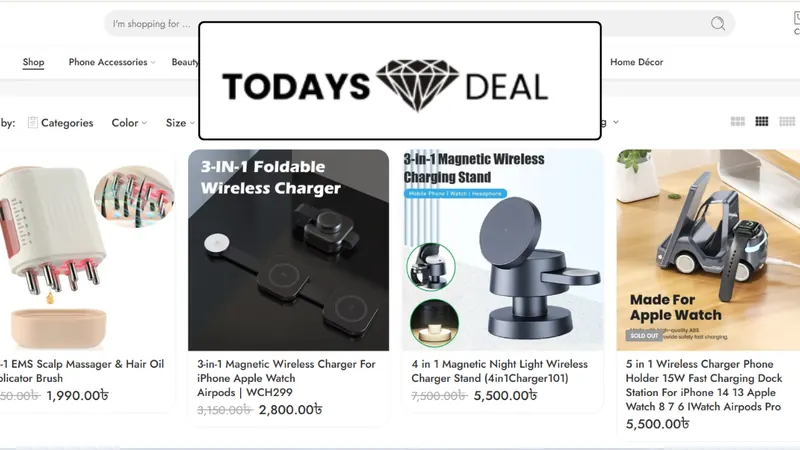
Accurate revenue tracking is the foundation here. For Todays Deal BD, the work was building a clean data layer and GA4 enhanced ecommerce events so verified purchase values reached Google Ads conversion tracking, which is exactly the kind of signal value-based campaigns need.
When does Performance Max not work?
Performance Max tends to struggle when conversion tracking is weak, conversion volume is low, or the conversion being optimised is easy to fake or low in value. In those cases automation amplifies the problem instead of solving it.
Situations where I usually hold back:
- Lead generation with no lead quality feedback. If Google only sees form submissions, it cannot tell a real booking from spam. Import qualified leads through offline conversion tracking first.
- Very small budgets. A small budget spread across every Google channel often never gathers enough data to learn.
- Local service businesses that depend on high-intent searches. A well-built Search campaign usually gives more control over exactly which searches you pay for. I compare options in Google Ads vs Local Services Ads.
- Branded traffic inflation. Without brand exclusions, PMax can claim credit for brand searches that would have converted anyway, making results look better than they are.
How should you set up your first Performance Max campaign?
Set up your first PMax campaign with clean conversion goals, tight settings and assets built for one clear offer per asset group, then leave it alone long enough to learn.
- Confirm the campaign's conversion goals include only the primary actions you truly want.
- Choose Maximize Conversions or Maximize Conversion Value; add a target only once you have stable history.
- Set location targeting to people in or regularly in your area.
- Add campaign-level negative keywords and apply brand exclusions if brand Search exists.
- Review final URL expansion and exclude pages like blog posts, careers or policy pages.
- Build one asset group per product category or service, with your own images and video.
- Add audience signals from customer lists and website visitors, plus relevant search themes.
- Avoid major edits during the learning period, then review search terms, placements and asset reports.
Final thoughts
Performance Max is neither magic nor a scam. It is an automation layer that works as well as the data you feed it, so fix conversion tracking first and add controls like negatives and brand exclusions from day one. If you want a second opinion on whether PMax suits your account, see my Google Ads management service or book a free audit.