Shopping ads are often the most direct way for an online store to sell through Google. Instead of a text ad, the shopper sees your product photo, price and store name before they click. But behind every Shopping ad is a product feed in Google Merchant Center, and when that feed is incomplete or inaccurate, your products either do not show or show for the wrong searches.
I work with ecommerce brands that sell through Shopify and WooCommerce, and most Shopping problems I see start in the feed, not in the campaign. This guide walks through the setup in the order I do it.
What do you need to run Google Shopping ads?
You need three things: a Google Merchant Center account with a verified website, a product feed that meets Google's requirements, and a Google Ads account linked to Merchant Center. You also need purchase conversion tracking, so Google knows which products actually sell.
Here is the chain, start to finish:
- Create a Merchant Center account and add your business details.
- Verify and claim your website.
- Set up shipping and return policies.
- Add products through a feed, a platform integration or both.
- Fix diagnostics until products are approved.
- Link Merchant Center to Google Ads.
- Set up purchase conversion tracking with values.
- Launch a Standard Shopping or Performance Max campaign.
How do you set up Google Merchant Center?
You set up Merchant Center by creating an account, entering your business information, verifying that you own your website and configuring shipping and returns. Google has redesigned the Merchant Center interface in recent years, so menu names may differ from older tutorials, but the core steps are the same.
Verify and claim your website
Verification proves you control the domain; claiming links it to your Merchant Center account. You can usually do this through Google Tag Manager, the Google tag, an HTML file or meta tag, or automatically through a Shopify or WooCommerce integration. Your product links must sit on the verified domain.
Shipping and returns
Shipping costs and delivery times show to shoppers and must match your website. Set them up in Merchant Center rather than leaving them blank. Return policies are also shown in some markets. Mismatches between what Merchant Center says and what checkout charges are a common cause of disapprovals.
Business information and policies
Make sure your site has a clear contact page, a returns policy, secure checkout and accurate business details. Google enforces policies such as misrepresentation, and a store that looks incomplete or untrustworthy can have its account suspended, not just individual products.
Which product feed attributes matter most?
The attributes that matter most are the required ones that identify and describe each product, plus product identifiers like GTIN. Missing or wrong values here cause most disapprovals and poor matching.
| Attribute | What it is | Common mistakes |
|---|---|---|
id |
Your unique product or variant ID | Changing IDs, which resets product history |
title |
Product name shown in the ad | Too vague, keyword stuffed or missing size/colour |
description |
Product details | Copied promotional text, missing key specs |
link |
Product page URL | Redirects, broken pages, wrong domain |
image_link |
Main product image | Watermarks, promotional overlays, placeholder images |
price |
Price with currency | Does not match the landing page |
availability |
In stock, out of stock, preorder, backorder | Shows in stock while the site says sold out |
brand |
Manufacturer or your brand name | Missing for branded products |
gtin / mpn |
Barcode number / manufacturer part number | Invented GTINs, missing identifiers for branded goods |
condition |
New, refurbished or used | Missing for used or refurbished items |
A few practical notes:
- GTINs: If a product has a manufacturer barcode, submit it. If you make your own products and they have no GTIN, Google allows submission without one, but do not make numbers up.
- Variants: Each size or colour usually needs its own item with a shared
item_group_idand attributes likesizeandcolor. - Titles: Put the most important words first. For apparel, that might be brand, product type, gender, colour and size. Write for shoppers, not just for algorithms.
- Category attributes: Some categories, such as apparel, need extra attributes like gender, age group, size and colour in certain countries.
How do Shopify and WooCommerce feed integrations work?
Both platforms have official Google integrations that sync products to Merchant Center automatically. On Shopify, the Google & YouTube app connects your store to Merchant Center and Google Ads. On WooCommerce, the Google for WooCommerce extension (previously called Google Listings & Ads) does a similar job. Third-party feed apps are also available if you need more control.
What the integrations do well:
- Sync product data, prices and availability on a schedule.
- Handle website verification for you.
- Reduce manual feed maintenance.
What they often get wrong or leave to you:
- Product titles copied straight from your store, which may be too short.
- Missing GTIN, brand or category attributes.
- Variant handling that does not match how you want products grouped.
If the native app does not give you enough control, you can use a supplemental feed in Merchant Center to override specific attributes, such as improved titles, without replacing the main feed. Merchant Center also has feed rules for transforming values.
How do you fix Merchant Center diagnostics and disapprovals?
You fix diagnostics by checking the product issues report in Merchant Center, sorting by the number of affected products and working through the most common issue first. Each issue explains which attribute is wrong and links to the relevant policy.
Common issues and their usual fixes:
- Price mismatch: The feed price does not match the landing page. Check sale prices, currency and sync frequency.
- Availability mismatch: Sync stock more often, or check that out-of-stock variants are not marked in stock.
- Missing identifiers: Add GTIN or MPN and brand where they exist.
- Image issues: Replace images with promotional text, borders or watermarks.
- Landing page unavailable: Fix broken links and pages that require login or redirect elsewhere.
- Misrepresentation: A policy issue about trust and transparency at account level. Review contact information, policies and checkout carefully before requesting a review.
After fixing issues, products are re-reviewed. Account-level suspensions take longer, and repeated requests for review without real changes do not help.
Should you use Standard Shopping or Performance Max?
Use Standard Shopping when you want control and transparency; use Performance Max when you have reliable conversion data and want Google to automate across channels. Many stores test both.
| Standard Shopping | Performance Max | |
|---|---|---|
| Inventory | Shopping placements on Google | Search, Shopping, YouTube, Display, Discover, Gmail, Maps |
| Control | Product groups, bids, negative keywords | Asset groups, listing groups, audience signals |
| Reporting | Search terms and product-level detail | Less granular, though Google has added more insight over time |
| Best for | Smaller budgets, testing, tight control | Stores with solid purchase tracking and values |
Performance Max relies heavily on your conversion data. If purchase values are missing or doubled, it will optimise towards the wrong products. I cover this trade-off in more detail in Performance Max campaigns: when they work and when they don't.
Why does purchase tracking matter for Shopping ads?
Purchase tracking matters because Shopping bidding strategies such as Target ROAS need accurate revenue per order. Without values, Google cannot tell a low-margin accessory from a high-value product.
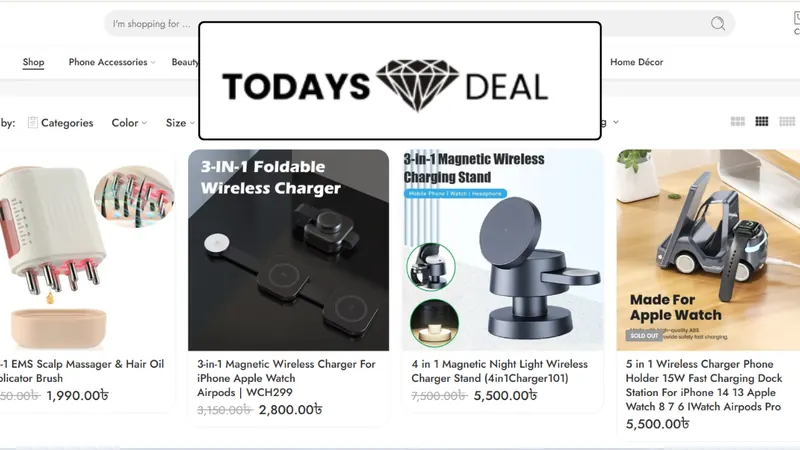
At minimum, send a purchase conversion with value, currency and a transaction ID to prevent duplicates. For Todays Deal BD, a Bangladeshi online marketplace, I built a data layer passing product arrays, currency, transaction_id and revenue, then synced verified purchase values into Google Ads conversion tracking. That moved them from click-based attribution to ROAS-driven bidding. My GA4 enhanced ecommerce tracking checklist shows the events to check.
Final thoughts
Shopping ads are only as good as the feed and tracking behind them. Clean product data, a healthy Merchant Center account and accurate purchase values do more than any bidding trick. If you want your ecommerce tracking checked, see my advanced conversion tracking service or book a free tracking audit.